Guides

All topics
erxes XOS
Sales
Settings
Account
Workspace
Developers
Core Modules
Broadcasts
Documents
Automations
Segments
Contacts
Plugins
Operation
Sales
Frontline
Tourism
Content
Accounting
Agents
Company Brain
Mongolian
Loyalty
1. Registration and Payment Instructions
Description:
Step-by-step guide for registering and purchasing a product through erxes.io:
Steps:
- Visit erxes.io.
- Click the Sign Up button.
- Choose Email & Password as the sign-up method.
- Enter your email address and create a password, then click Sign Up.
- Check your email inbox for a verification code and enter it in the required field.
- (If you did not receive the verification email, return to erxes.io and click Sign In.)
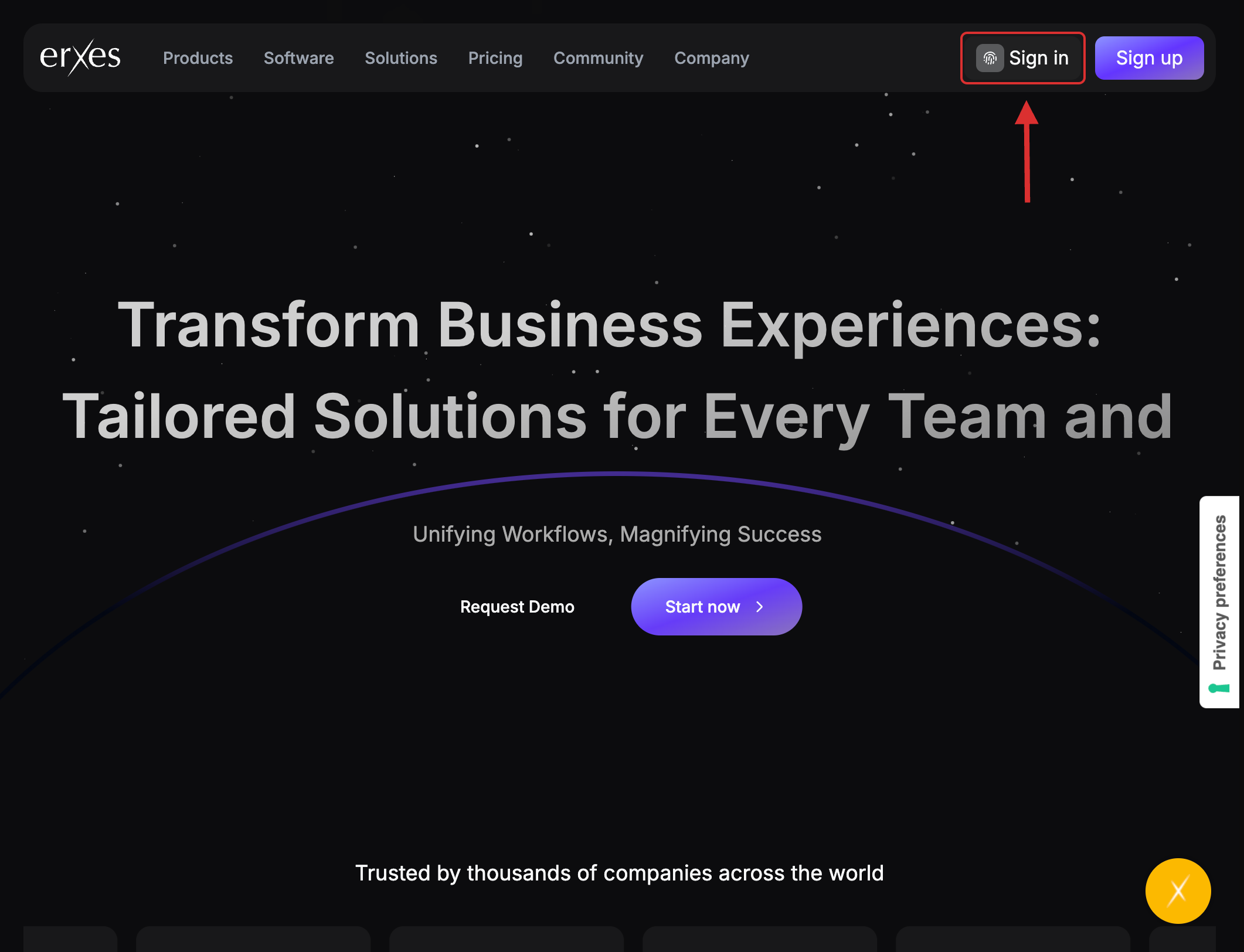
- Go to the Sign In page.
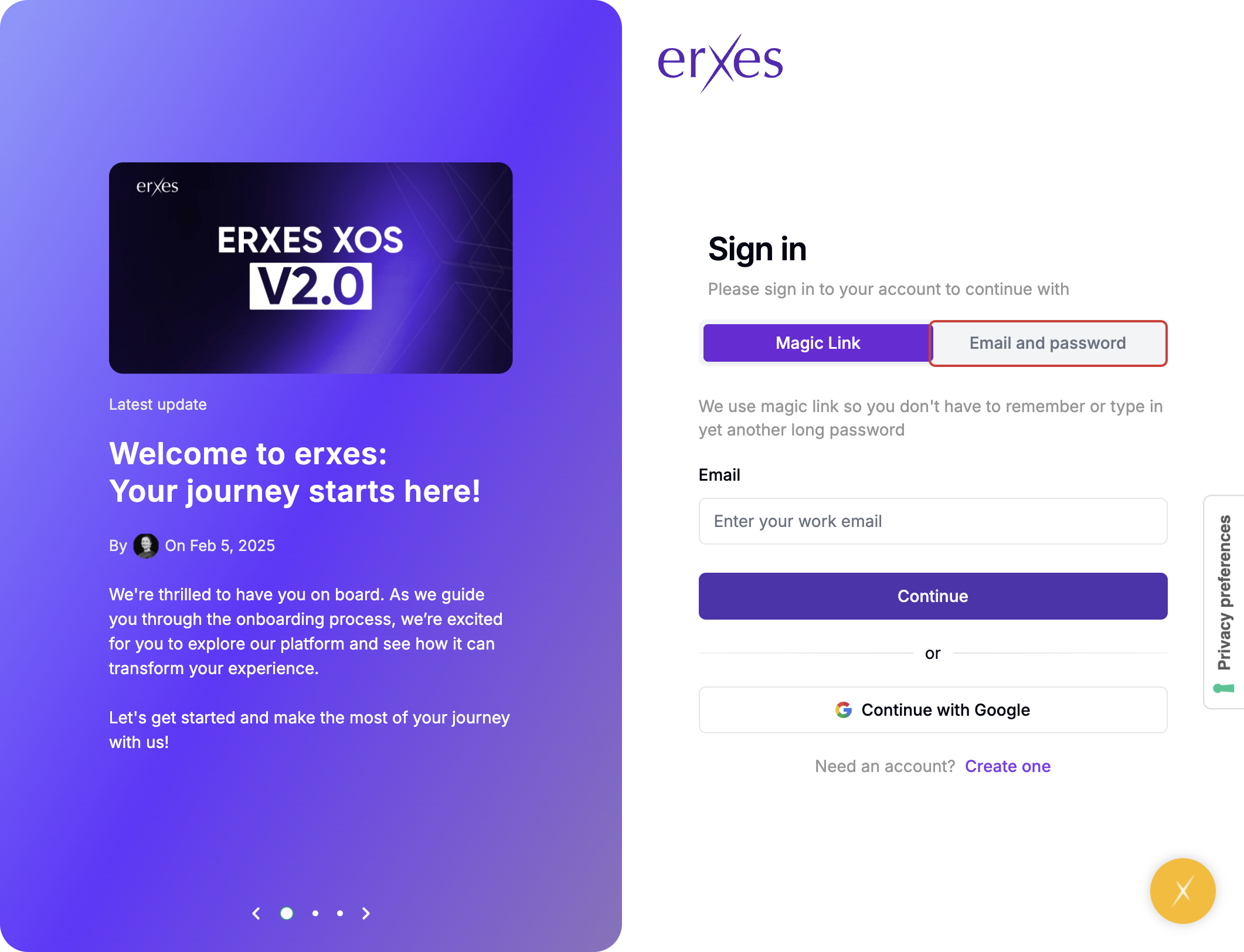
- Select Email & Password again.
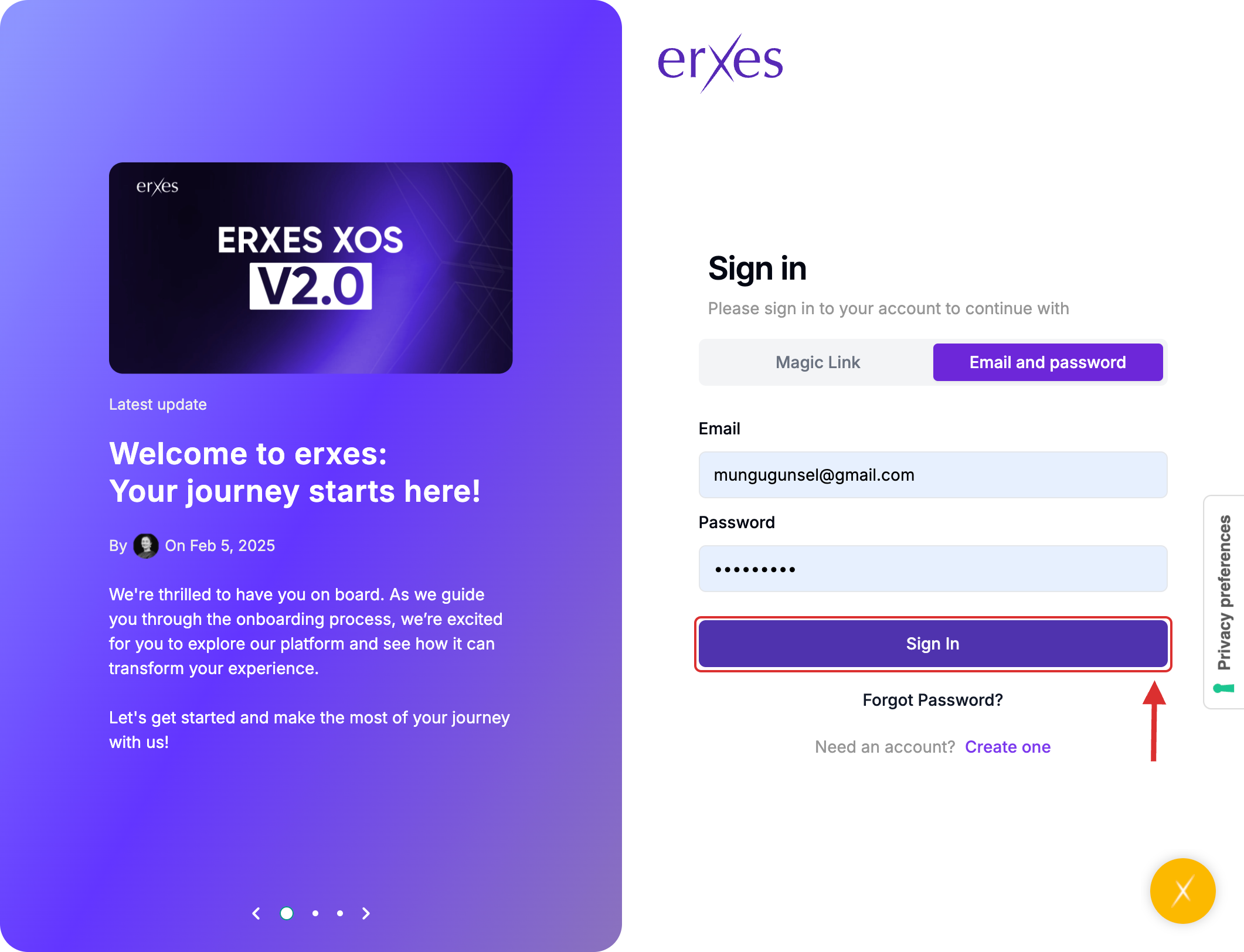
- Enter your credentials and click Sign In.
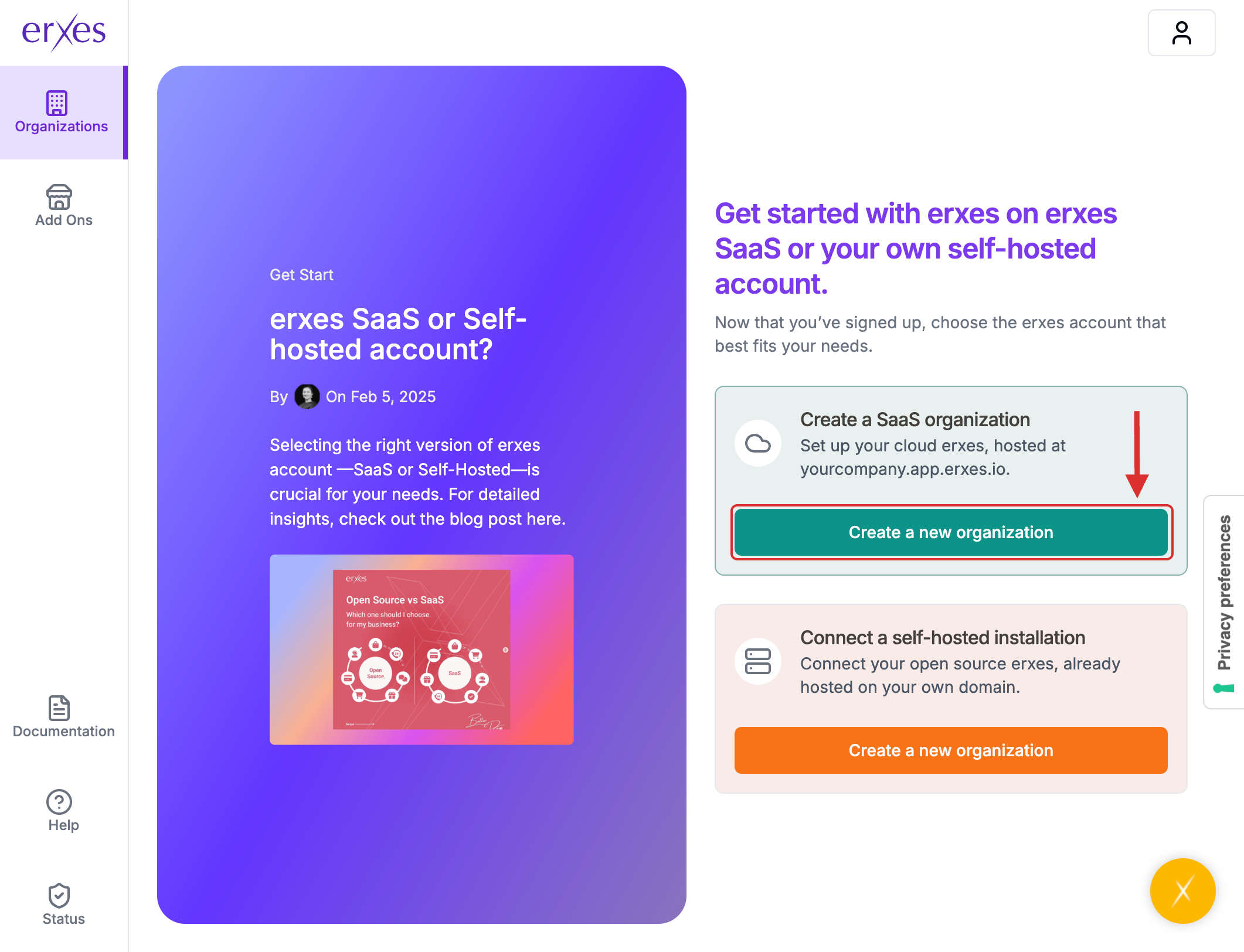
- Click Create New Organization.
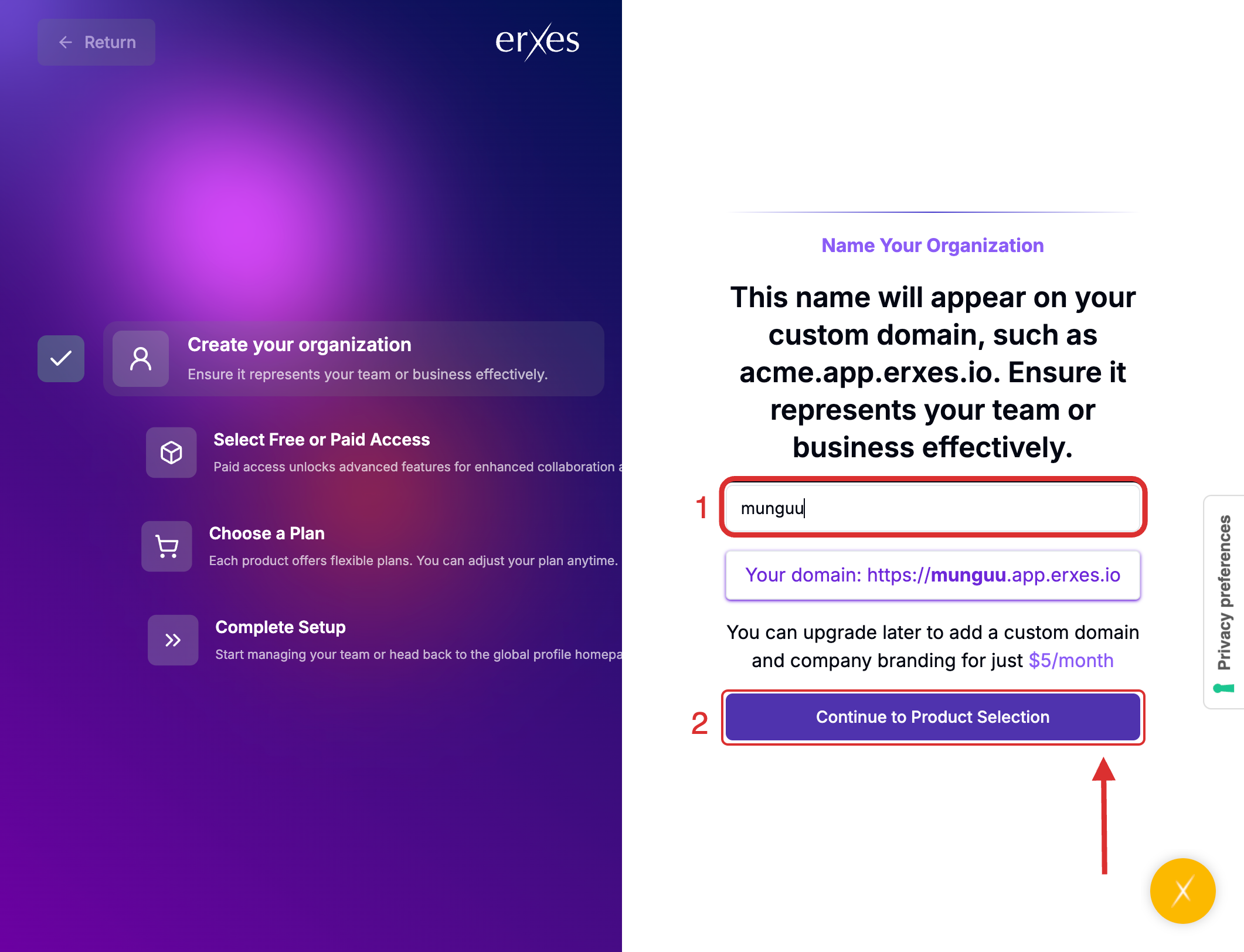
- Enter your organization's name in English. (Tip: Keep it short and simple.)
- Click Continue to Product Selection.
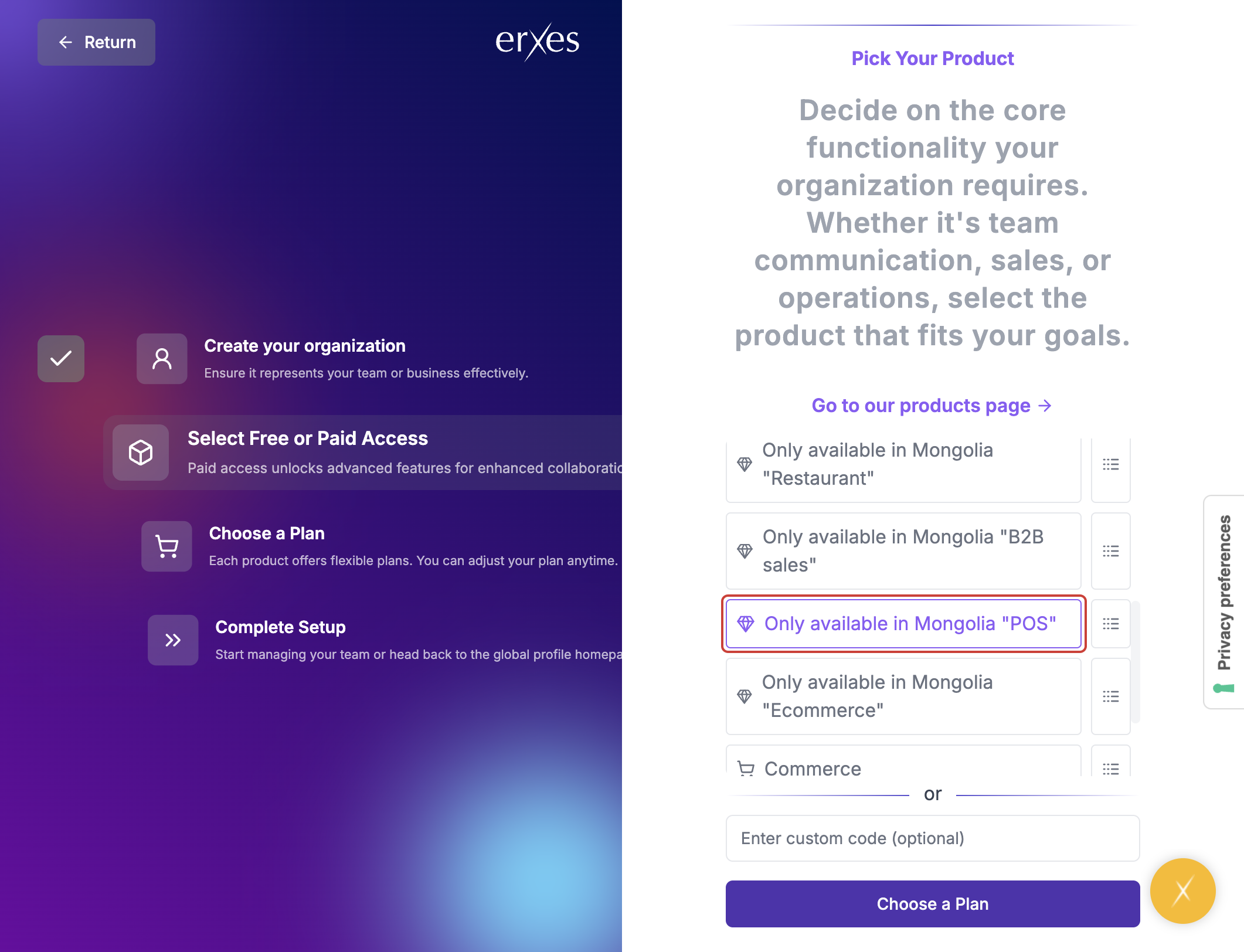
- Choose the product you wish to purchase.
- Click Choose a Plan.
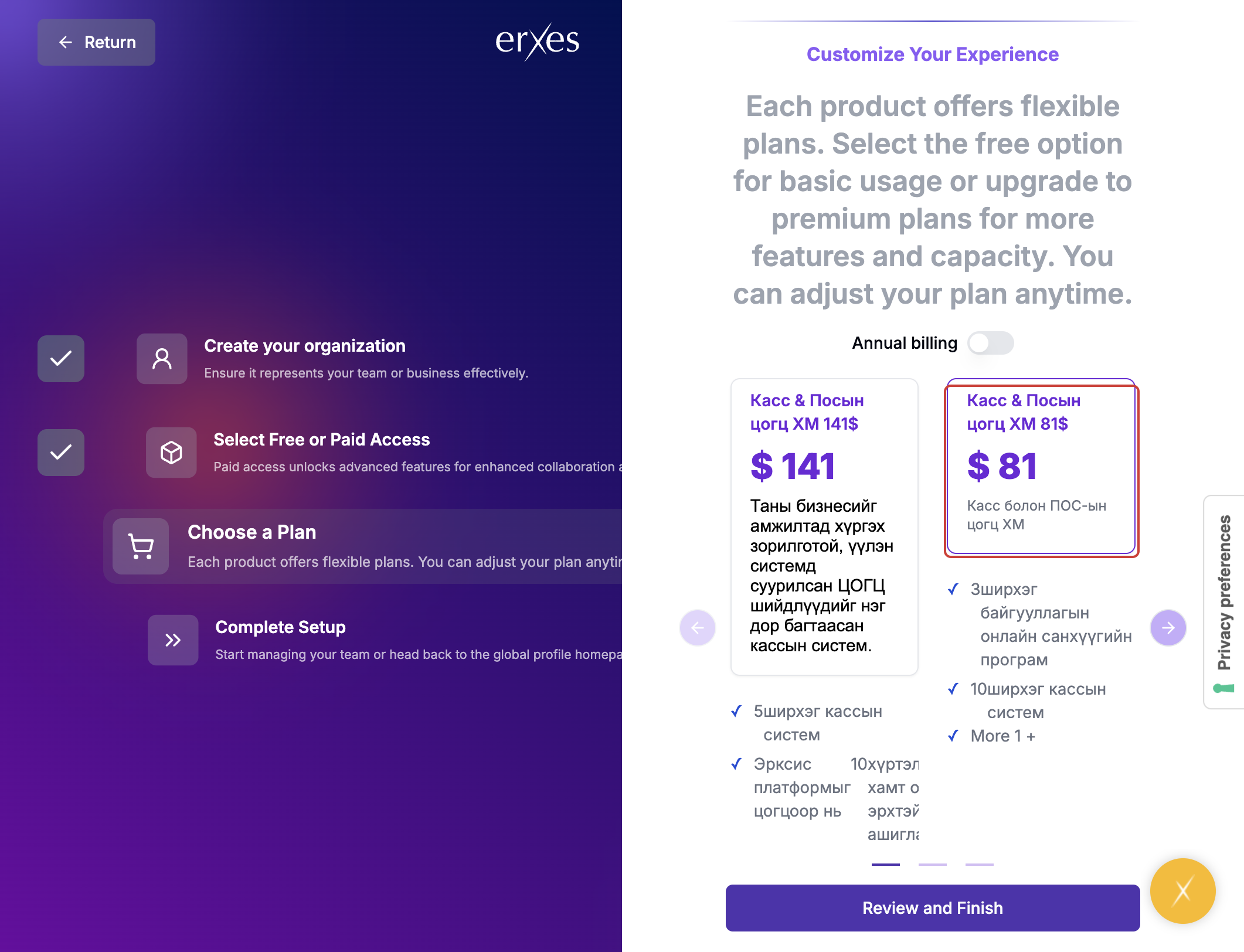
- Select your preferred pricing package.
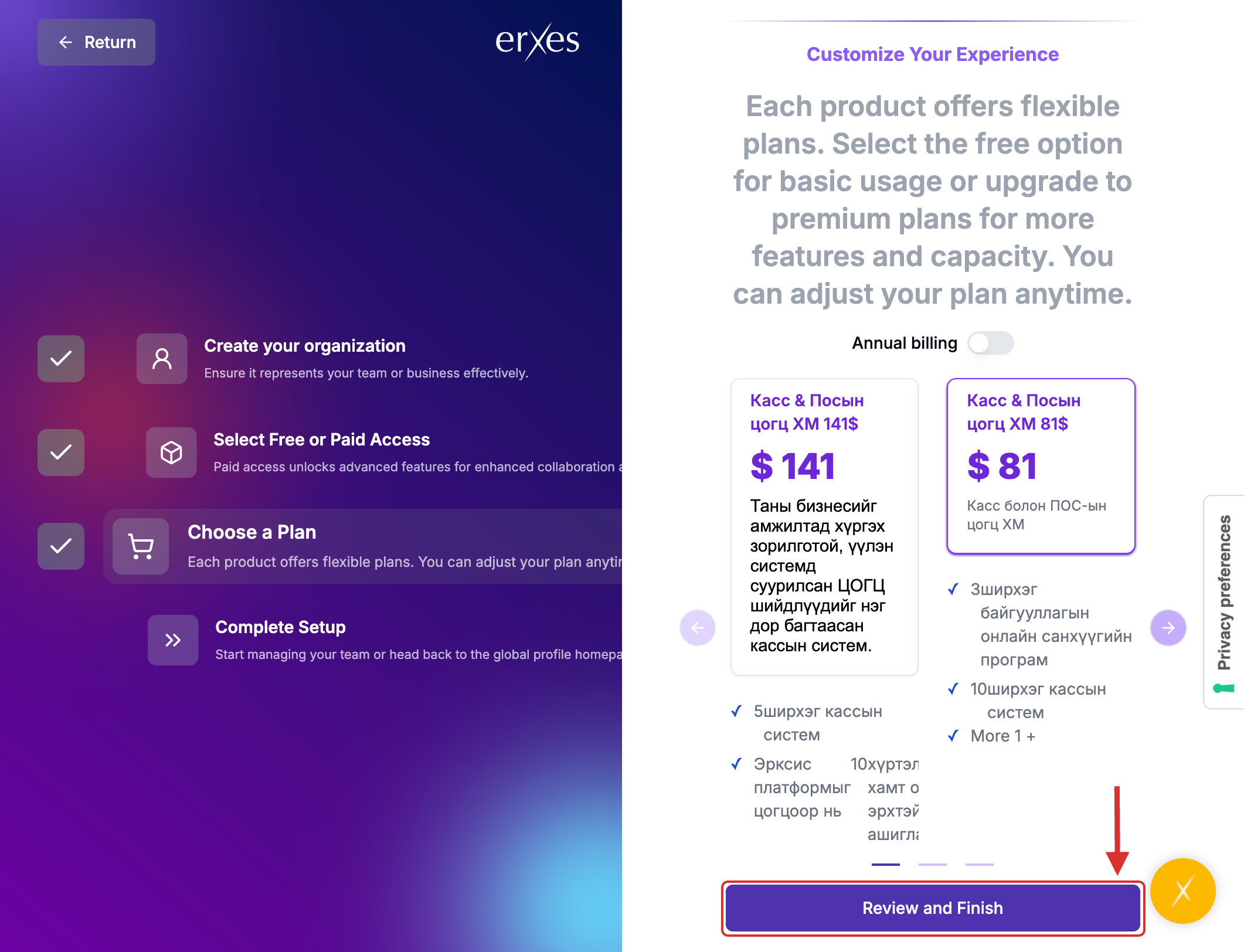
- Carefully review your selections, then proceed to payment.
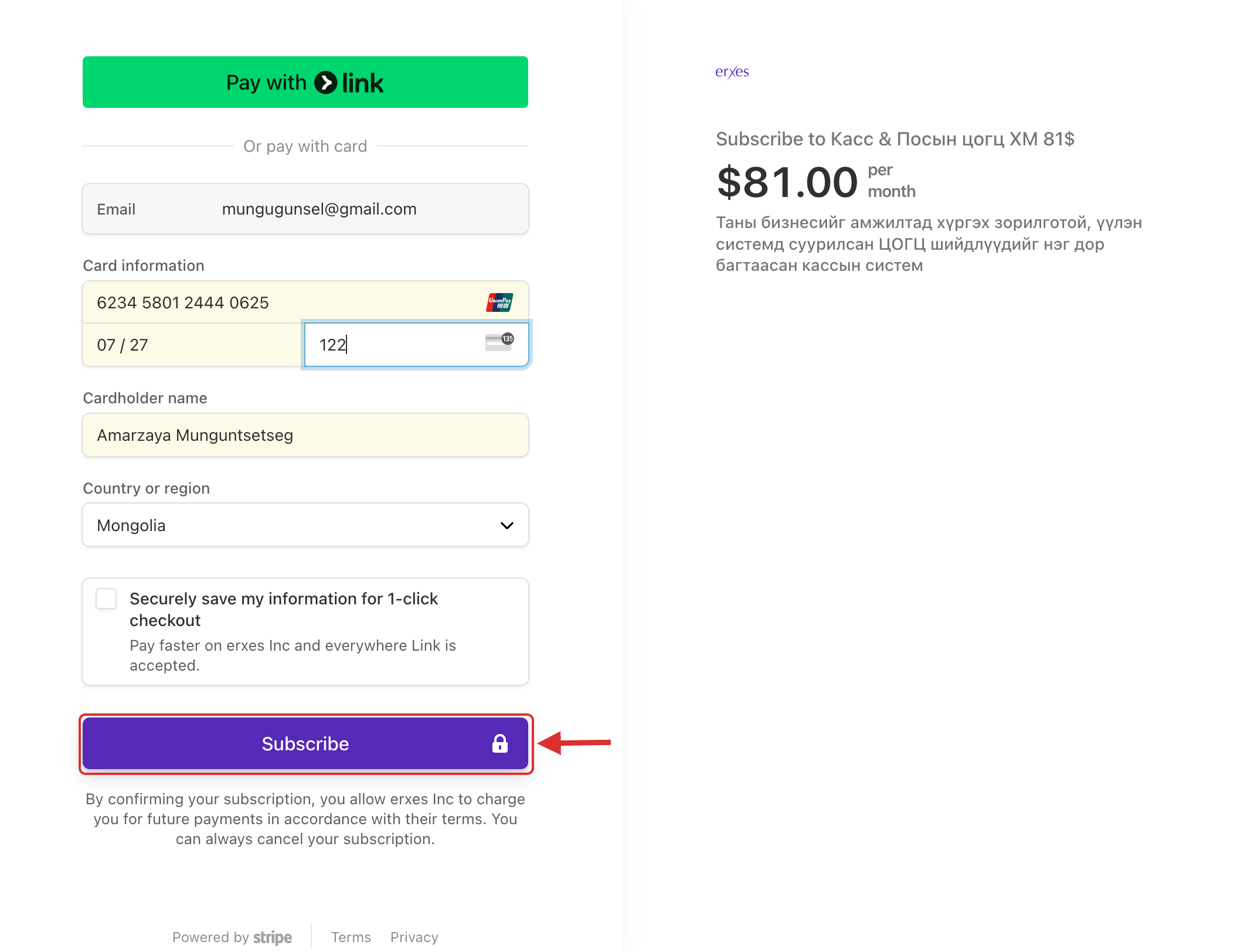
- Enter your payment card details.
- (Note: Some banks may call you for payment confirmation. Even if you have sufficient funds, the process may take a few minutes.)
- After entering your payment details, click Subscribe.
- Once the payment is successful, click Go to My Organization.
- When you see the main dashboard of the erxes application, your registration and payment are successfully completed.
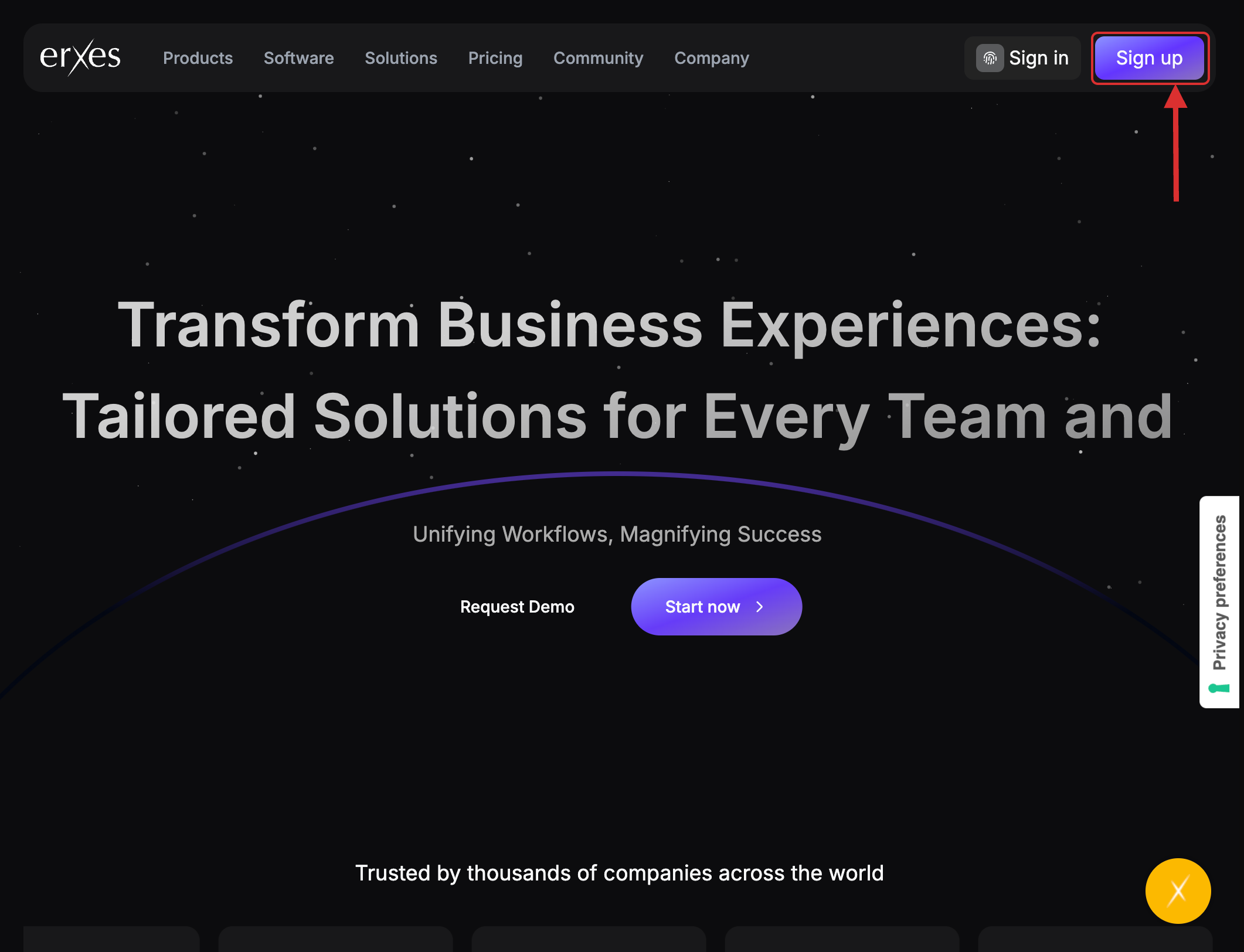
- Visit erxes.io.
- Click the Sign Up button.
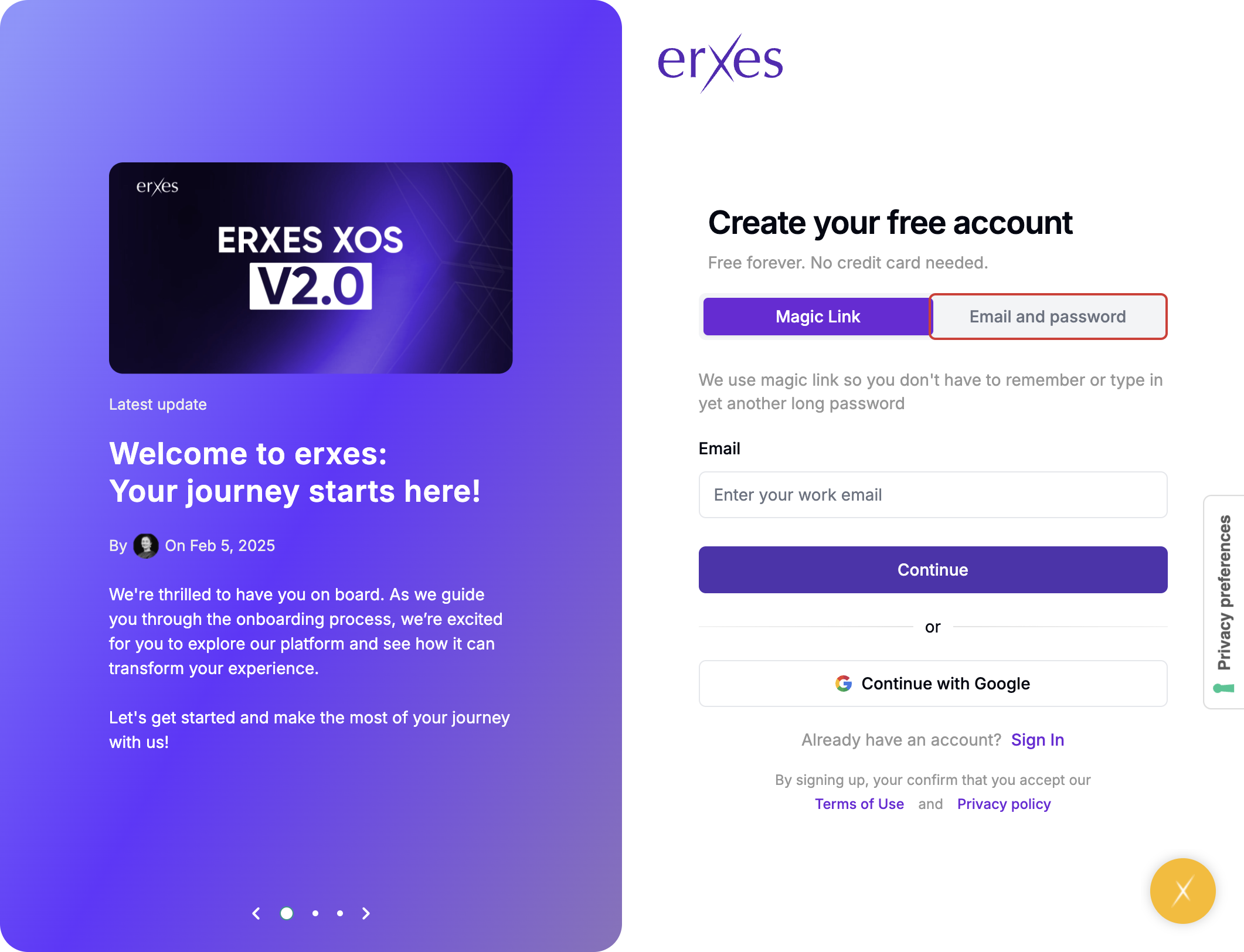
- Choose Email & Password as the sign-up method.
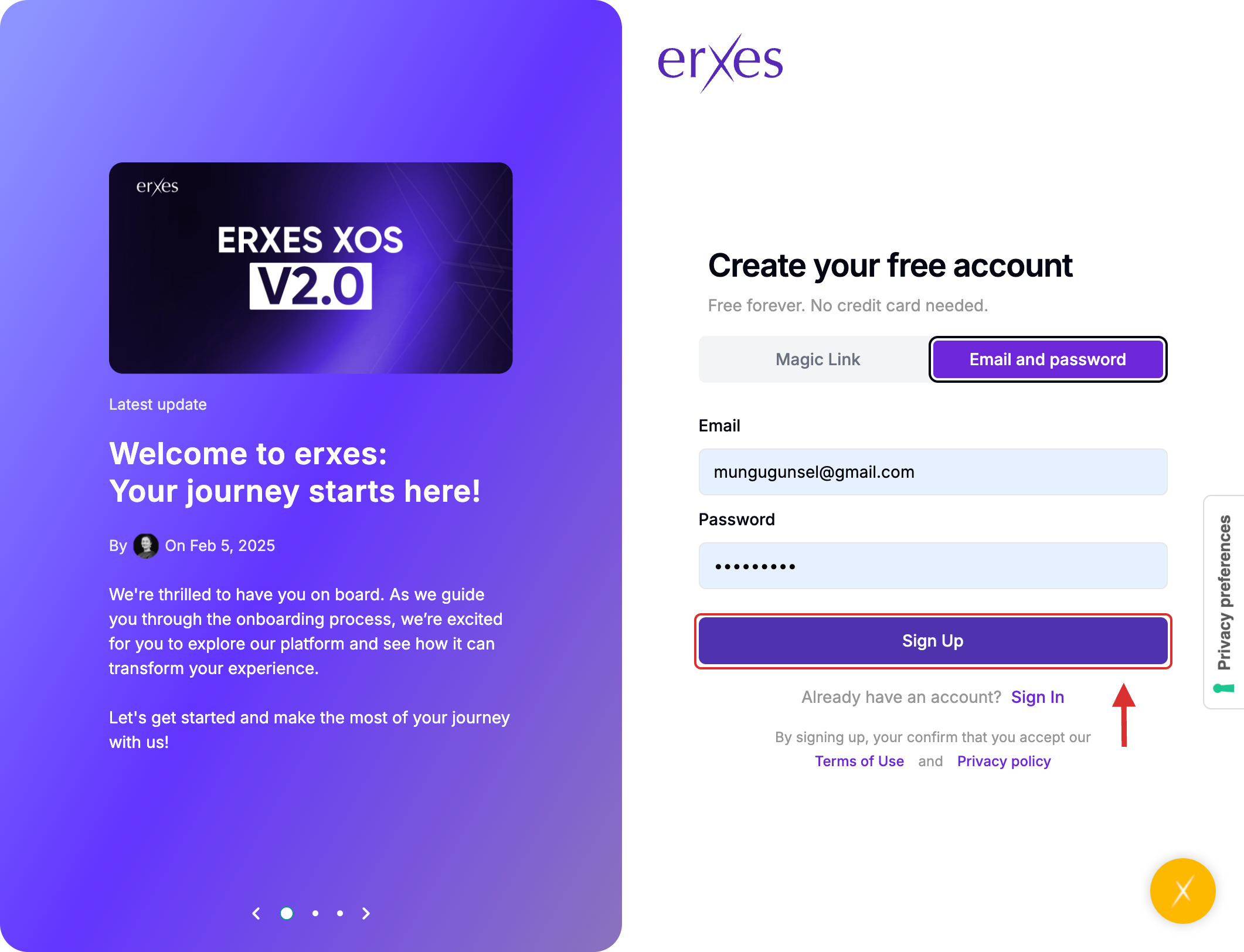
- Enter your email address and create a password, then click Sign Up.
Check your email inbox for a verification code and enter it in the required field.
(If you did not receive the verification email, return to erxes.io and click Sign In.)
Go to the Sign In page.
- Select Email & Password again.
- Enter your credentials and click Sign In.
- Click Create New Organization.
- Enter your organization's name in English. (Tip: Keep it short and simple.)
- Click Continue to Product Selection.
- Choose the product you wish to purchase.
- Click Choose a Plan.
- Select your preferred pricing package.
- Carefully review your selections, then proceed to payment.
- Enter your payment card details.
- (Note: Some banks may call you for payment confirmation. Even if you have sufficient funds, the process may take a few minutes.)
- After entering your payment details, click Subscribe.
- Once the payment is successful, click Go to My Organization.
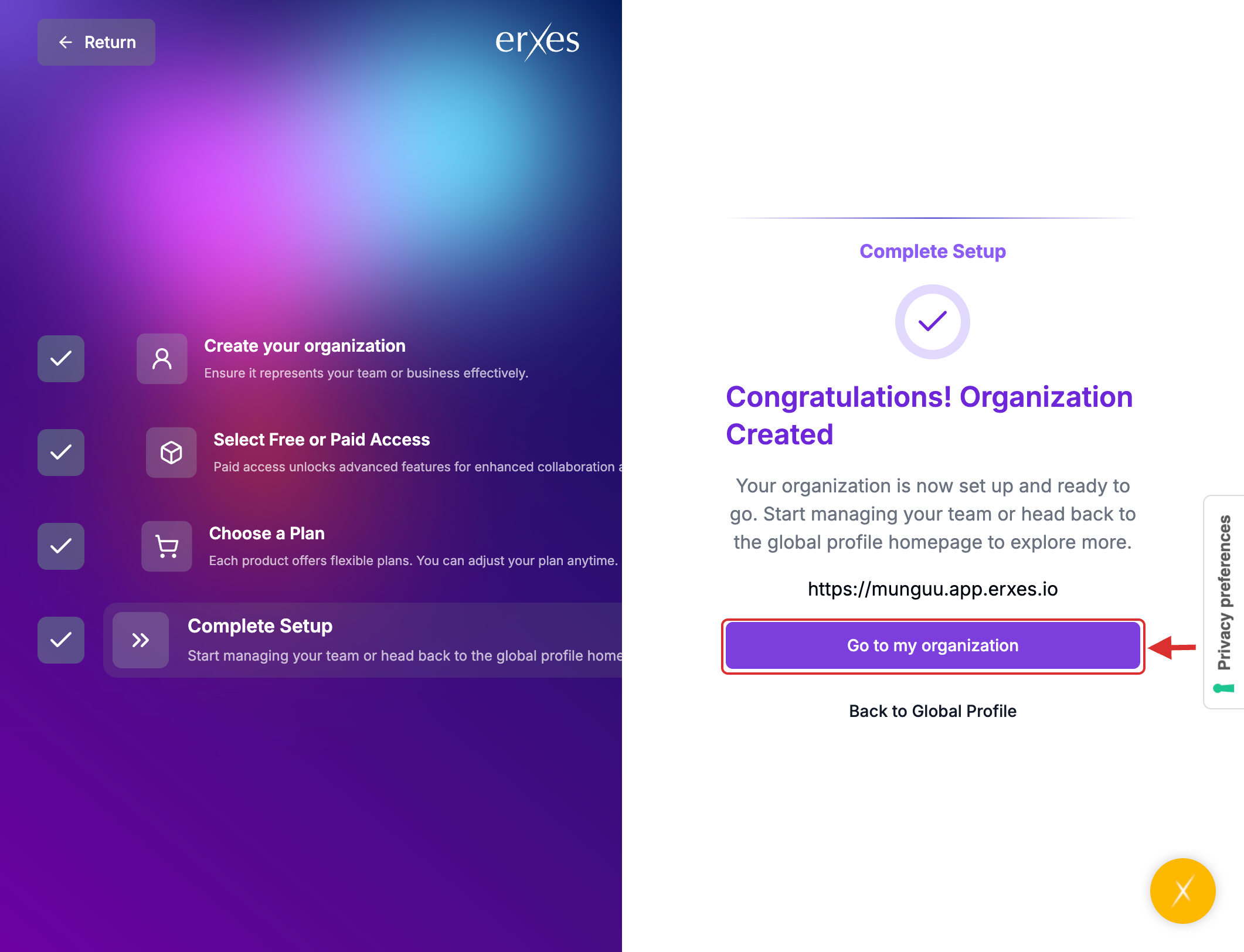
- When you see the main dashboard of the erxes application, your registration and payment are successfully completed.