Guides

All topics
erxes XOS
Sales
Settings
Account
Workspace
Developers
Core Modules
Broadcasts
Documents
Automations
Segments
Contacts
Plugins
Operation
Sales
Frontline
Tourism
Content
Accounting
Agents
Company Brain
Mongolian
Loyalty
3. Create a Channels and Brands
The Channel and Brand features in erxes help teams manage customer conversations more efficiently. Channels let you route inquiries to the right teams, while Brands allow you to organize customer data under different brand identities.
Step 1: Create a Channel
Channels help categorize customer messages by team, ensuring only the relevant team members can view and respond.
- Go to the Settings menu.
- Click on Channels.
- Click the Add New Channel button.
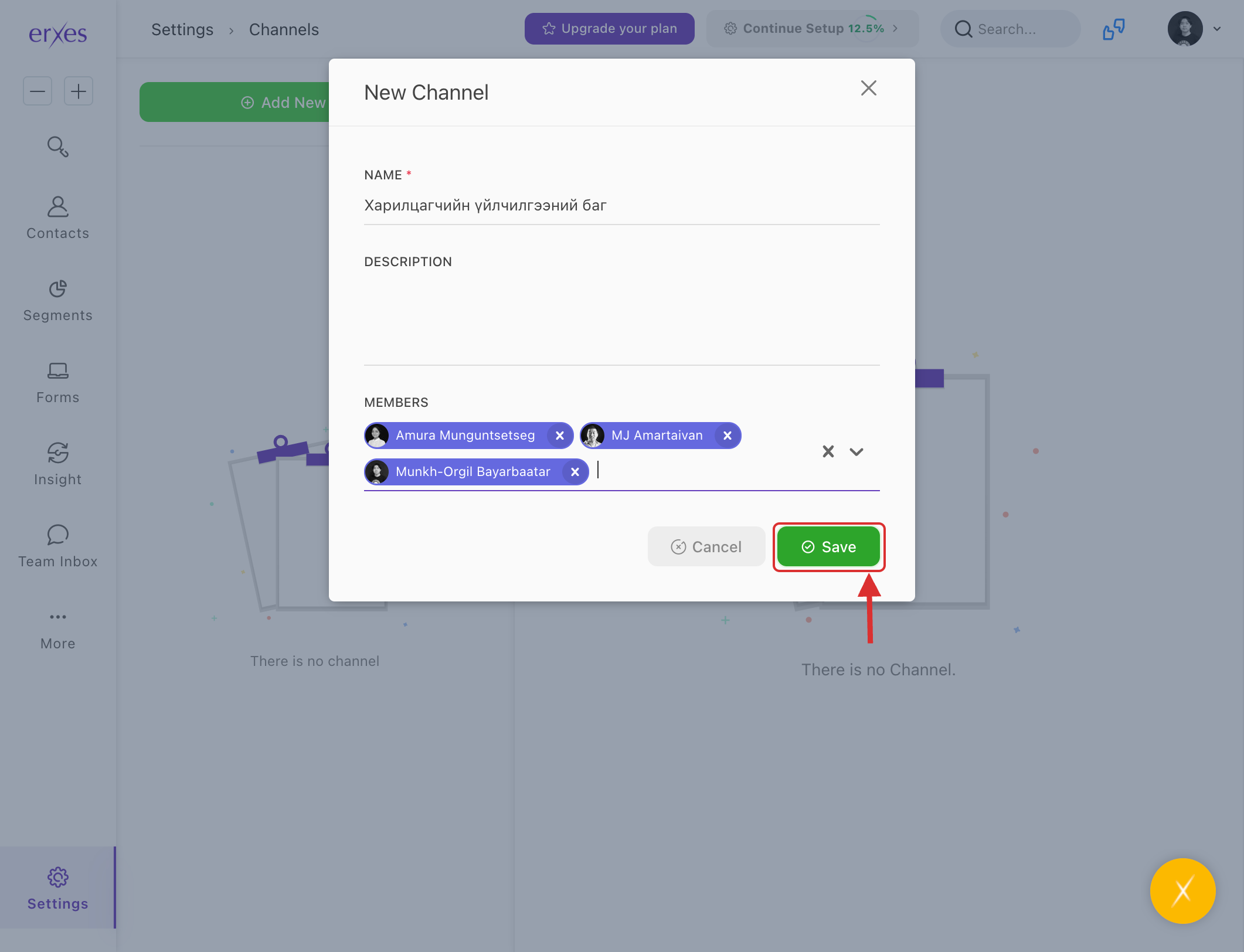
- In the Name field, enter the team name (e.g., "Customer Relations Team").
- In the Members section, add the employees who belong to this team.
- Click Save to create the channel.
✅ Channels improve service quality by assigning the right inquiries to the right team members.
Step 2: Create a Brand
Brands help segment customer communications and records under different brand identities within the same organization.
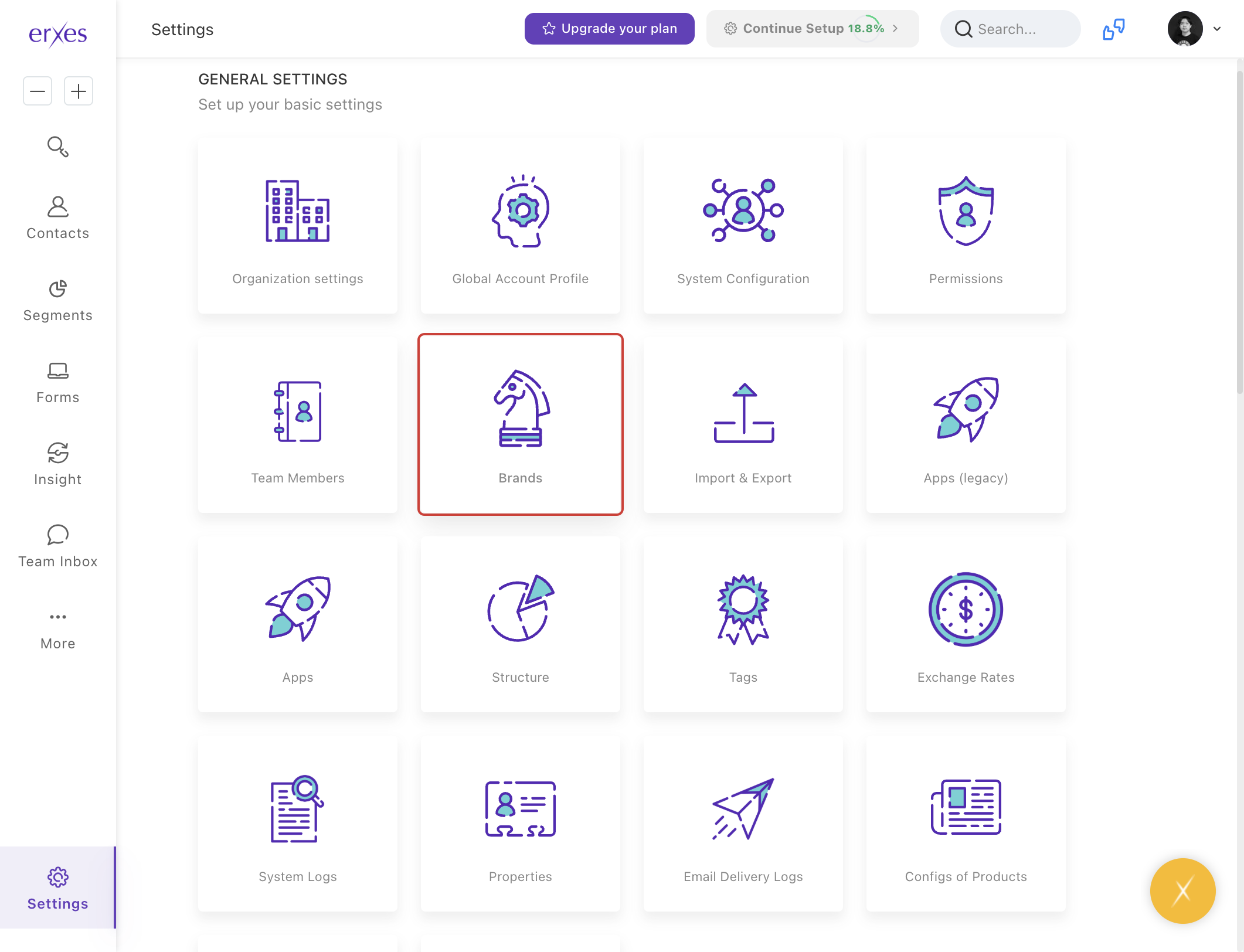
- Go to the Settings menu.
- Click on Brands.
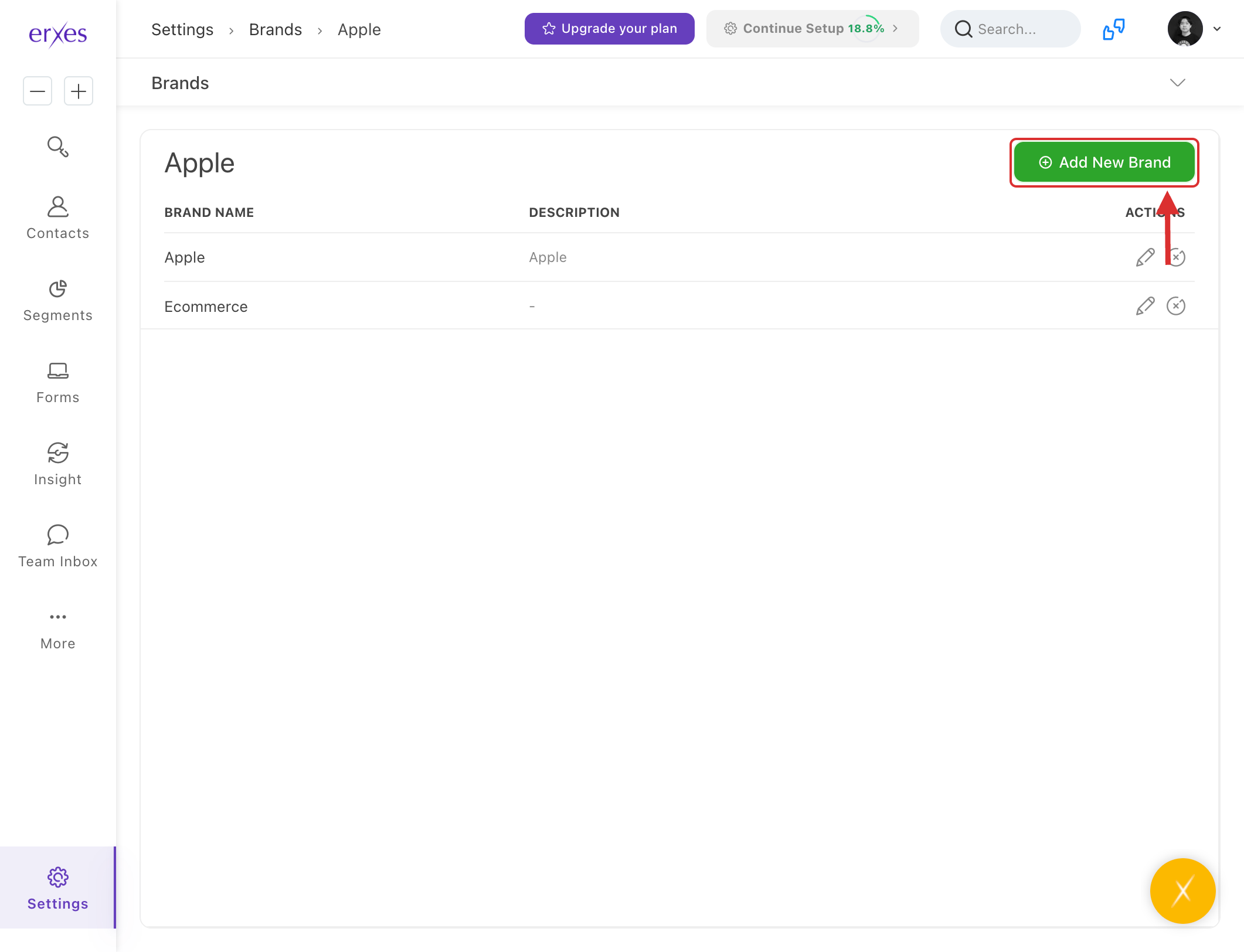
- Click the Add New Brand button.
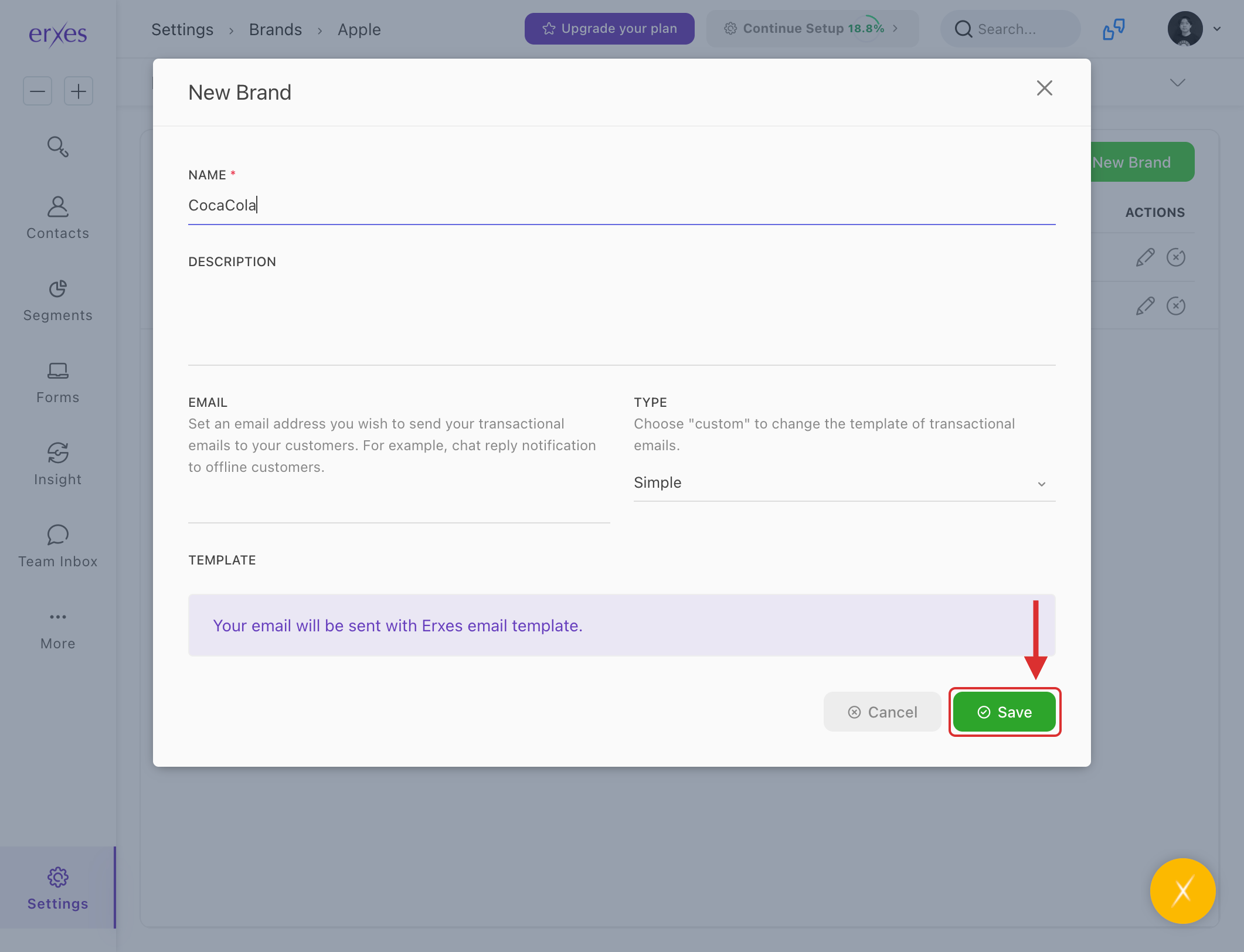
- In the Name field, enter the brand name (e.g., "CocaCola").
- Click Save to register the brand.
💡 Use this feature if your organization manages multiple brands and needs to separate customer records and communication channels accordingly.
Illustrated instructions
Create a Channel:
Categorize and distribute customer messages by team, making them visible only to relevant members.
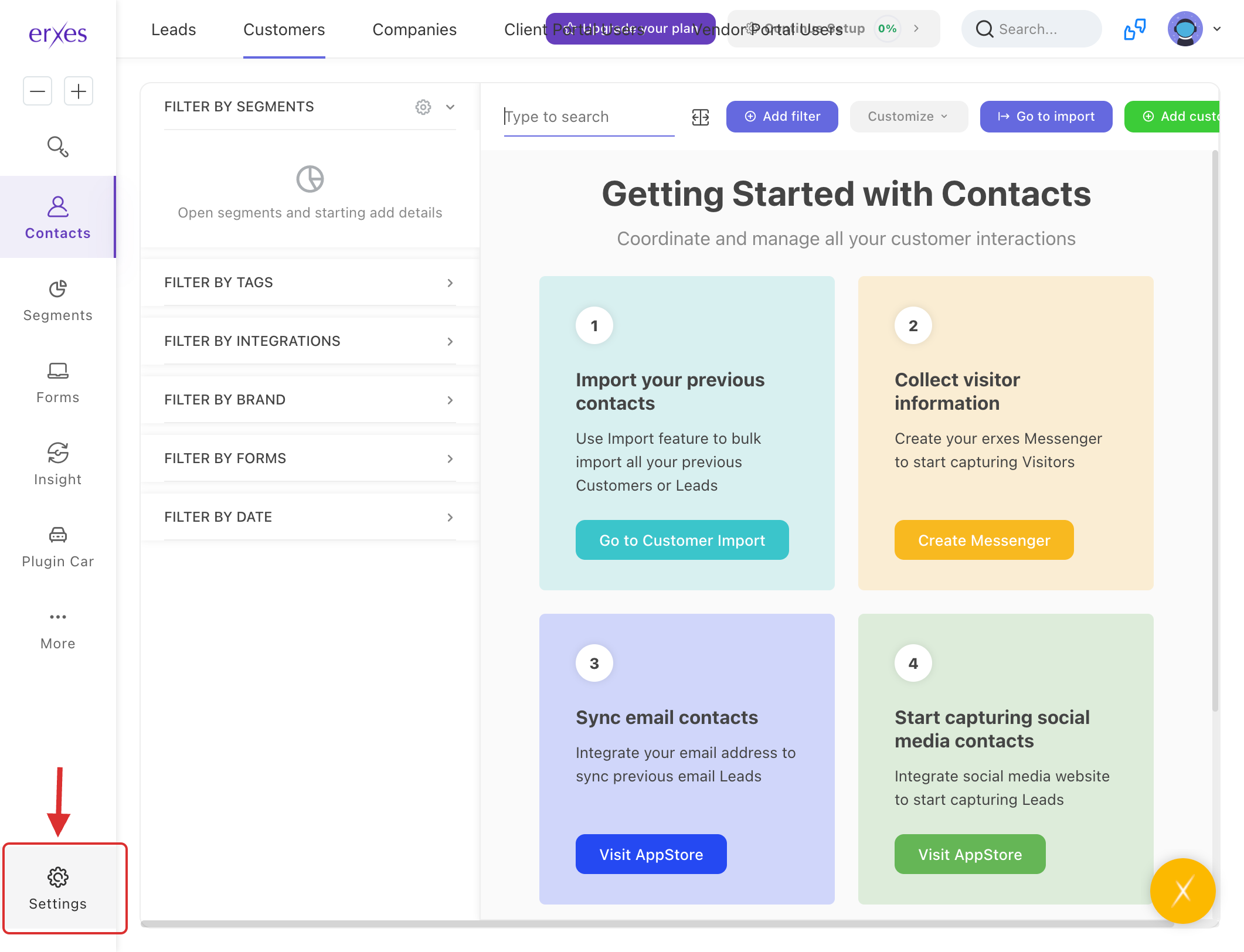
- Go to the Settings menu.
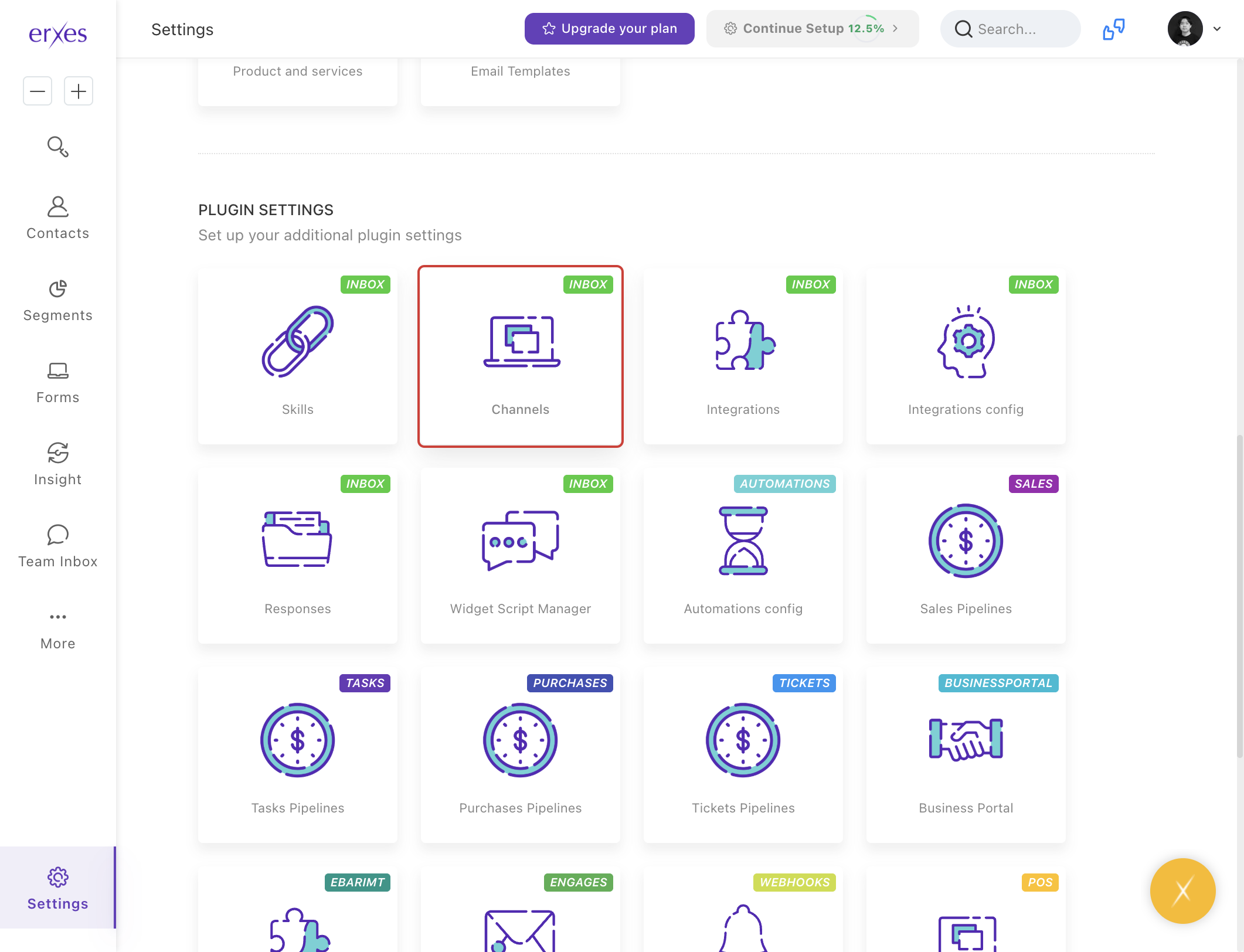
- Click on Channels .
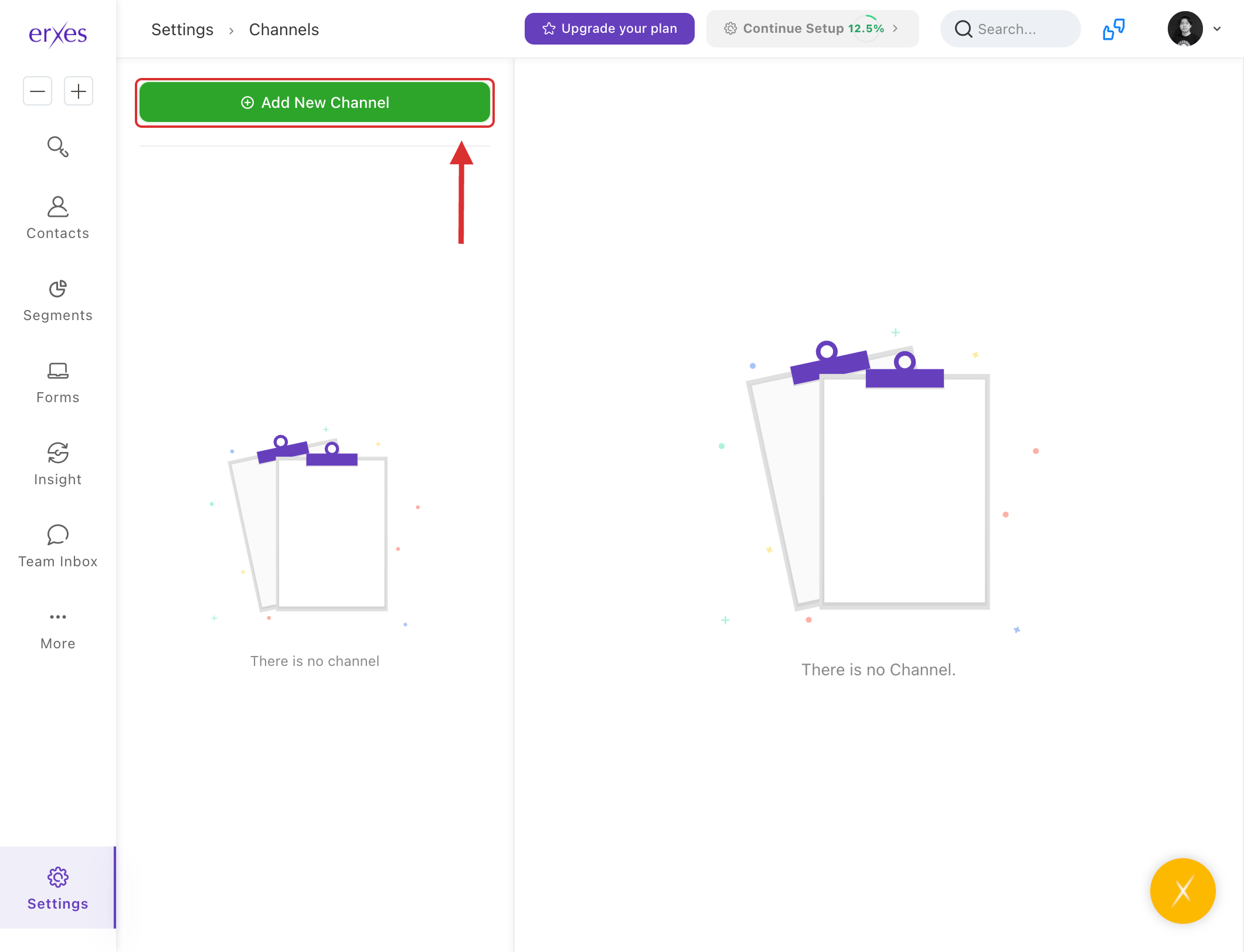
- Click the Add New Channel button and enter a team name (for example: “Customer Relations Team”).
- In the Members section, select and add employees belonging to the team.
- Click Save .
Brand creation:
If an organization has more than one brand, it will be used to record customer relationships separately for each brand.
- Go to the Settings menu.
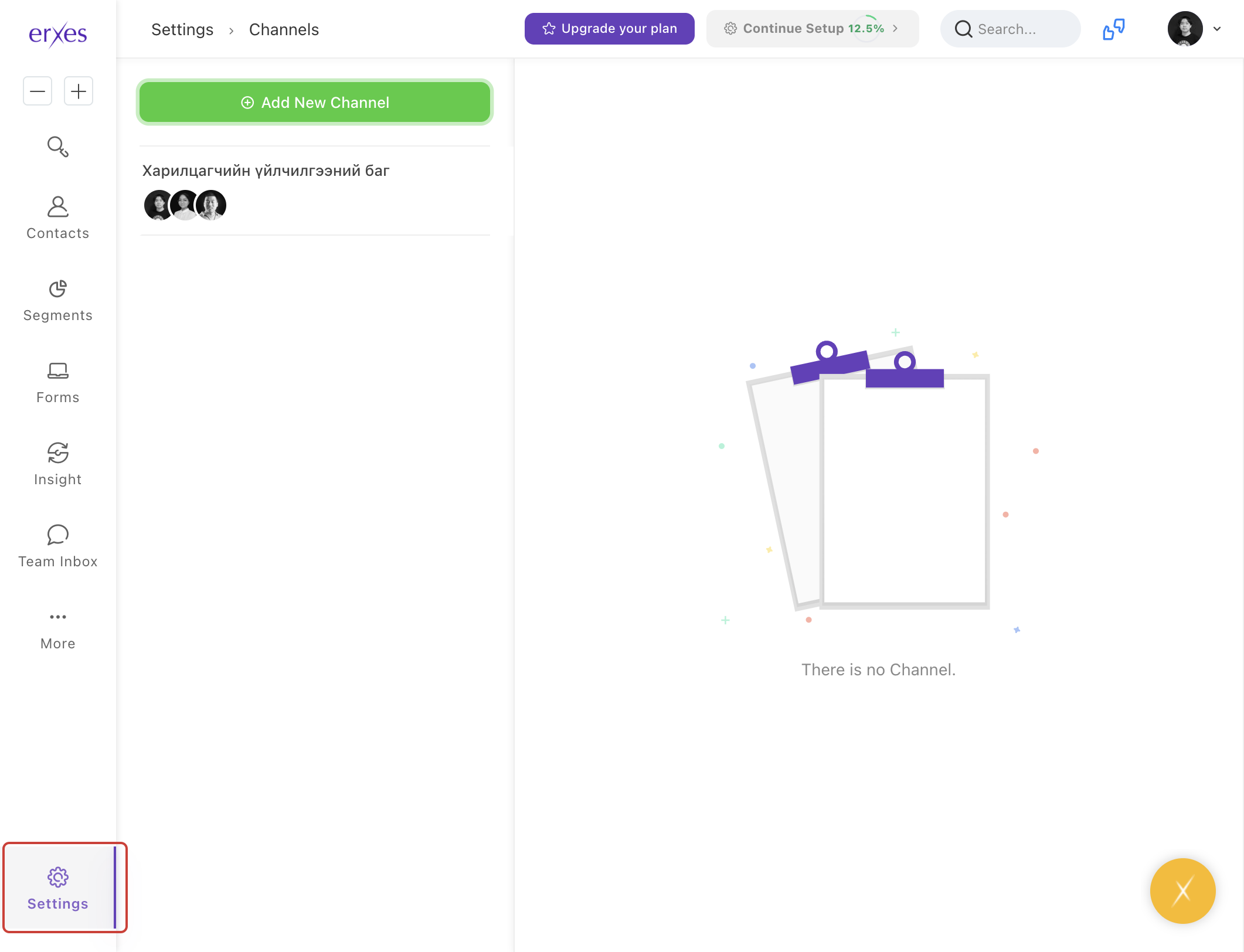
- Click on Brands .
- Click the Add New Brand button and enter a brand name (e.g., “CocaCola”) or a well-known brand name.
- Click the Save button to save.