1. Registration and Payment Instructions
Updated Apr 30, 2025
Description:
Step-by-step guide for registering and purchasing a product through erxes.io:
Steps:
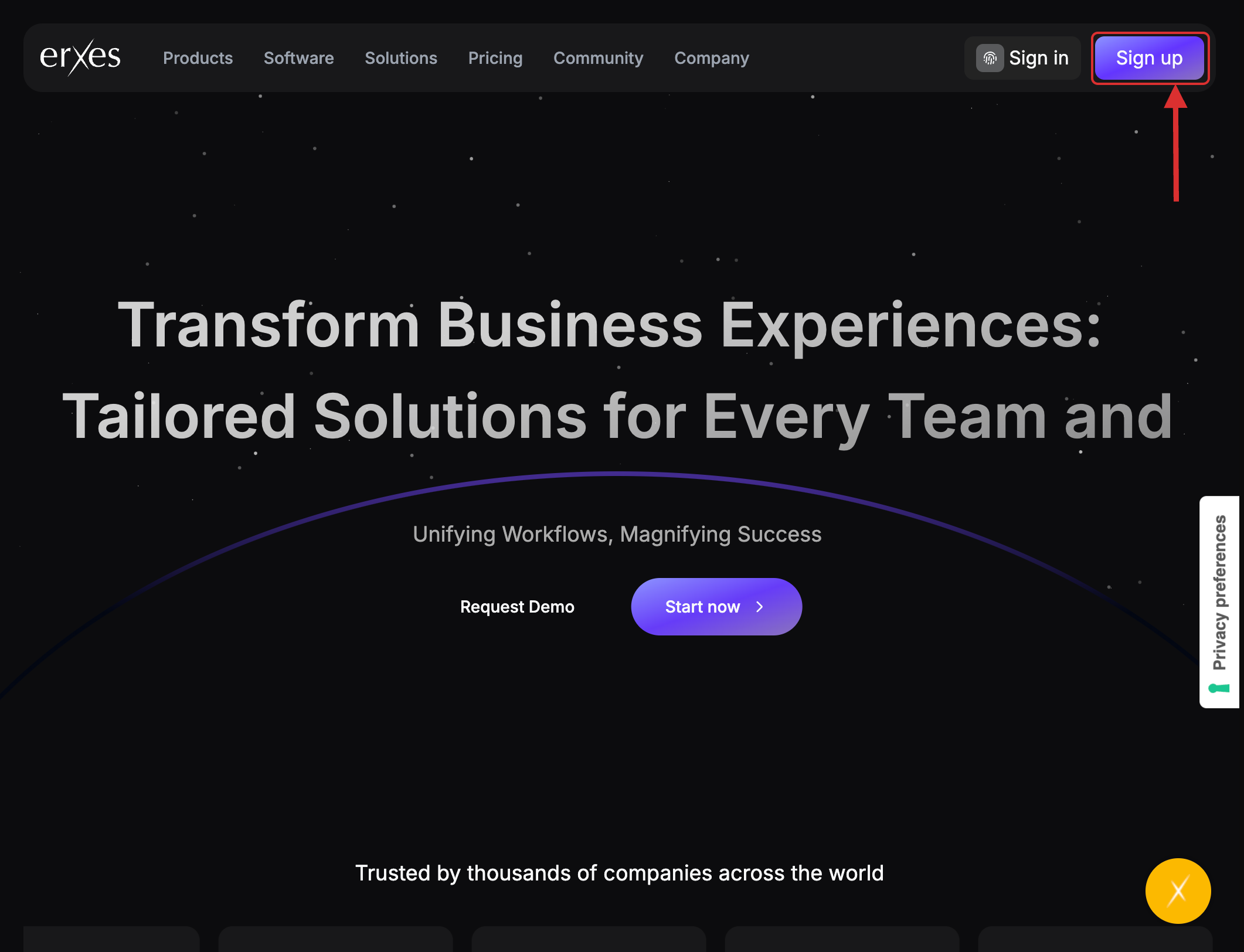
- Visit erxes.io.
- Click the Sign Up button.
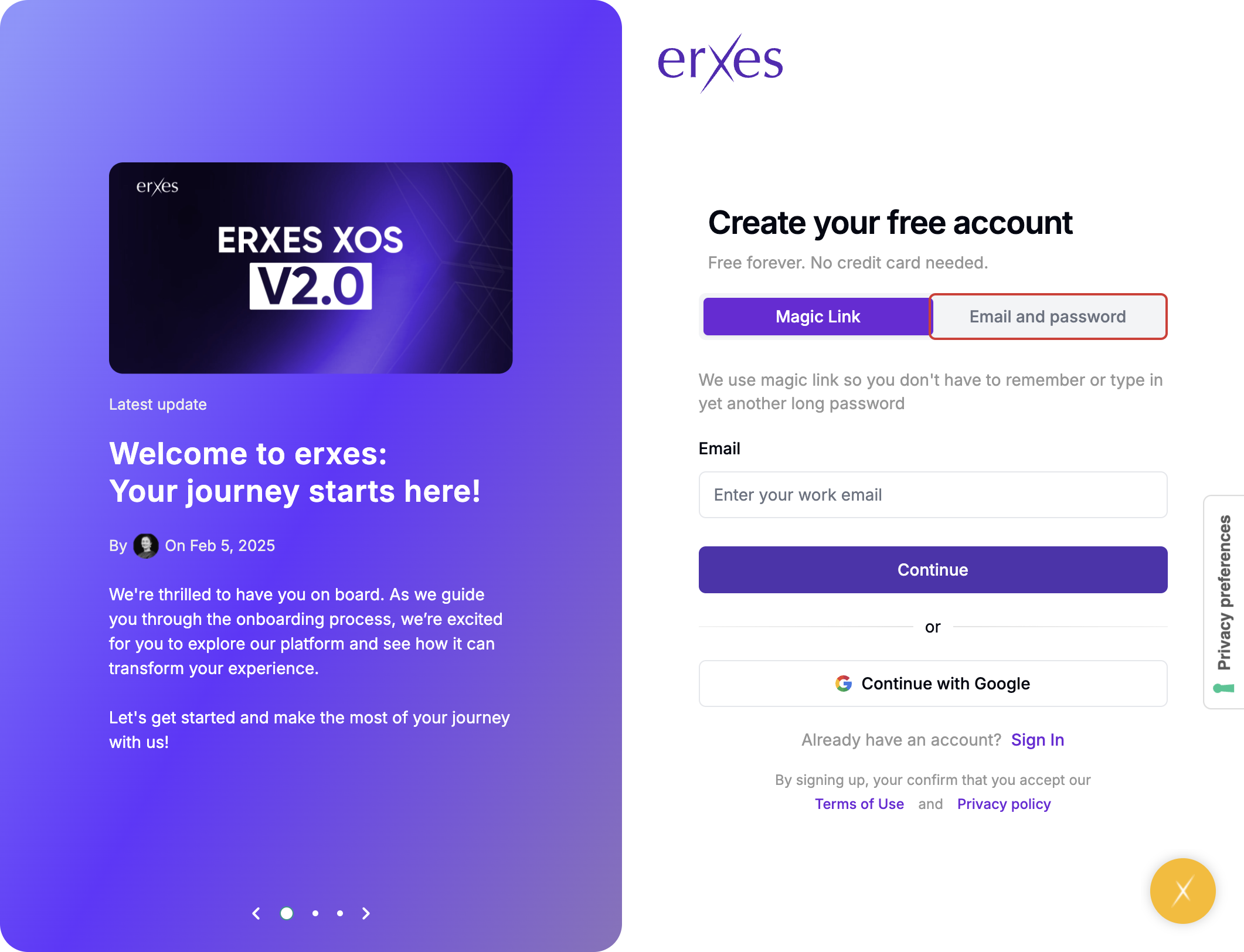
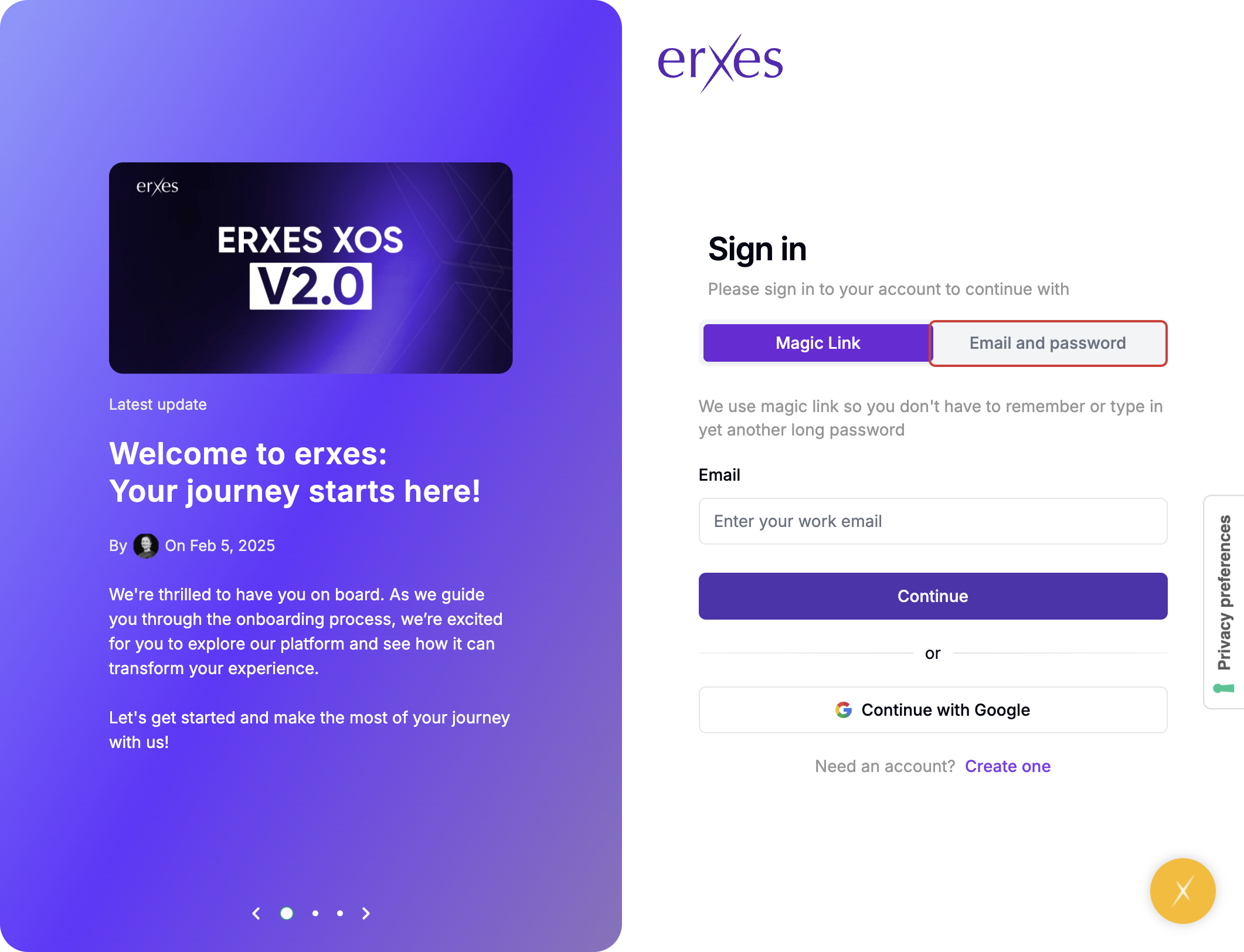
- Choose Email & Password as the sign-up method.
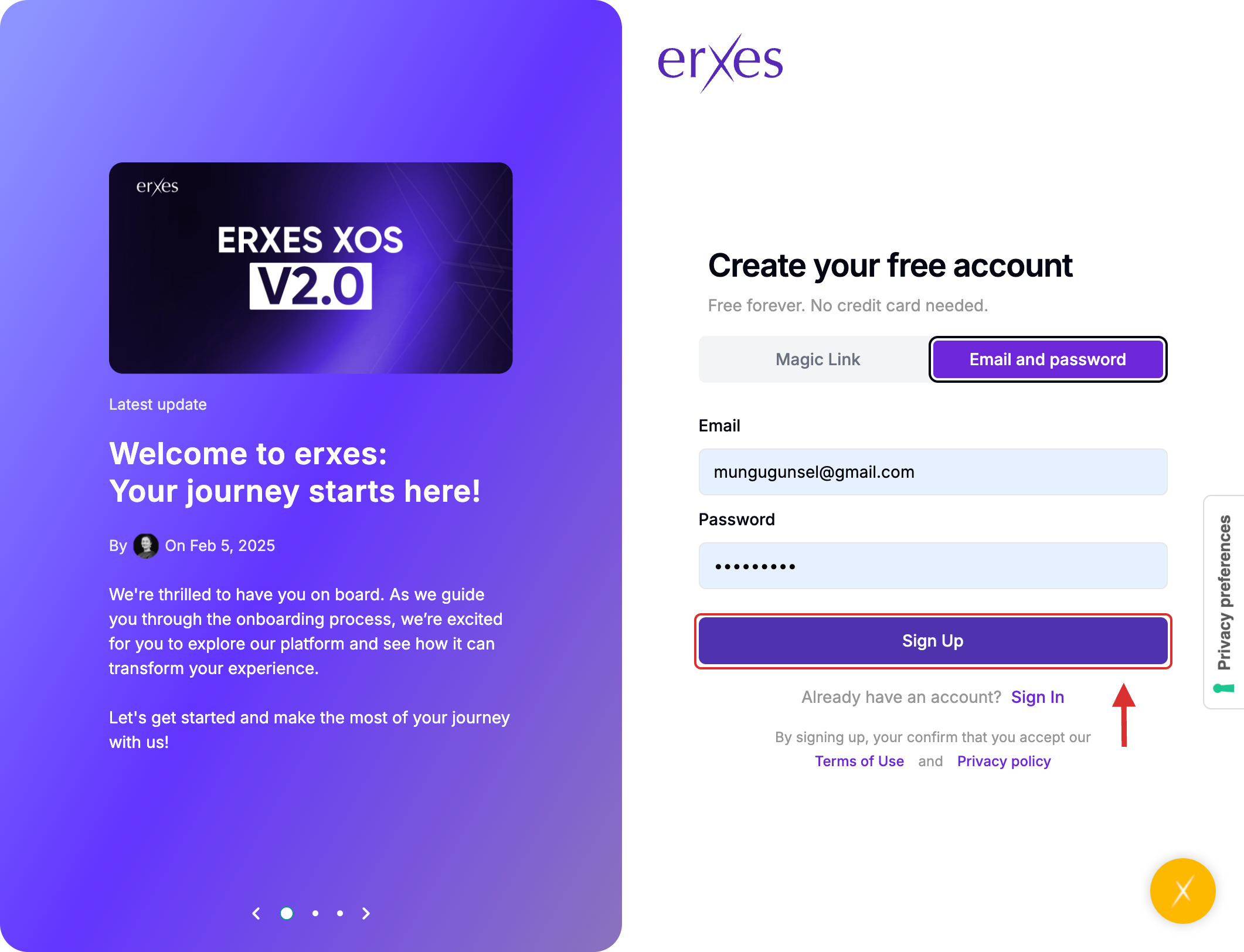
- Enter your email address and create a password, then click Sign Up.
- Check your email inbox for a verification code and enter it in the required field.
- (If you did not receive the verification email, return to erxes.io and click Sign In.)
- Go to the Sign In page.
- Select Email & Password again.
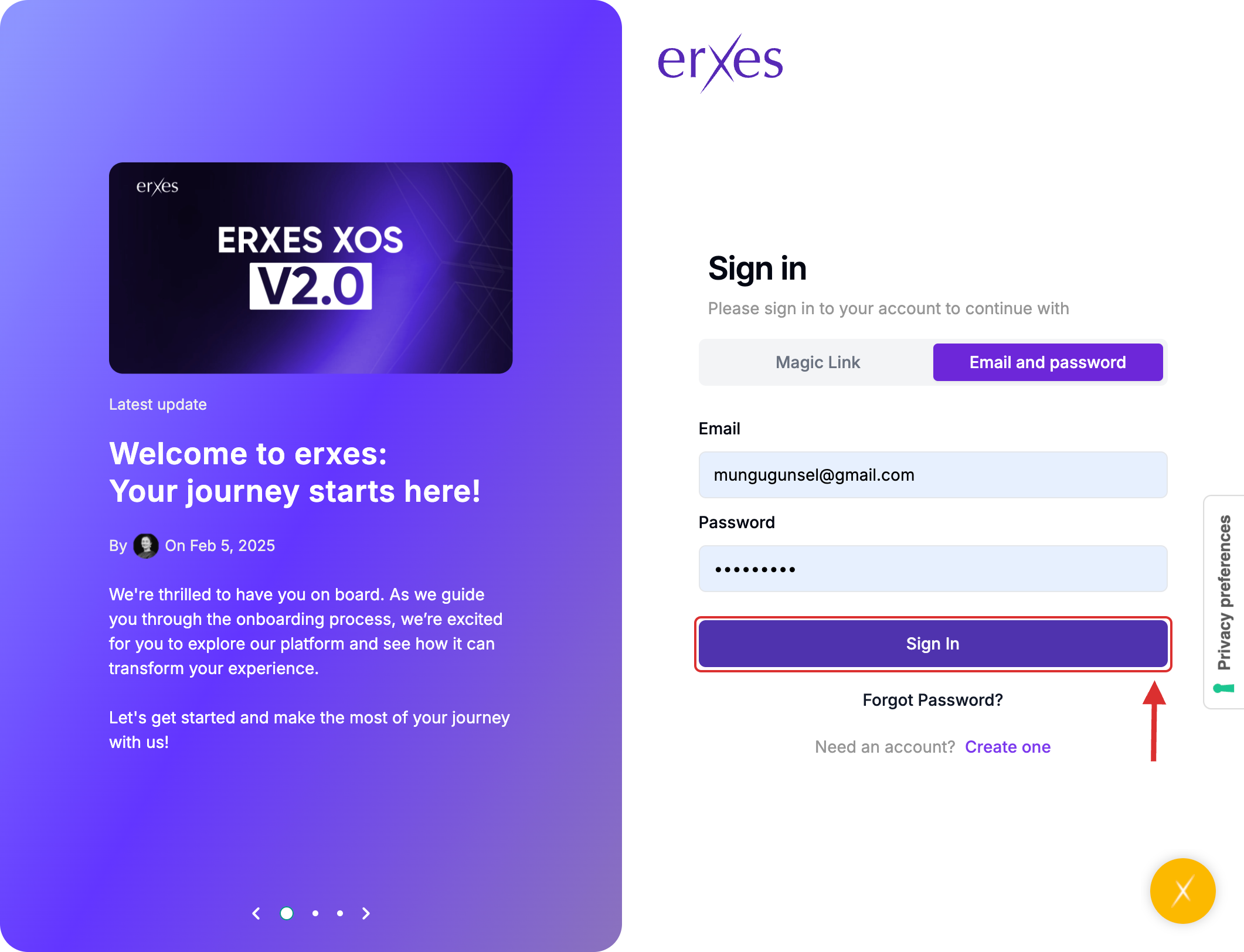
- Enter your credentials and click Sign In.
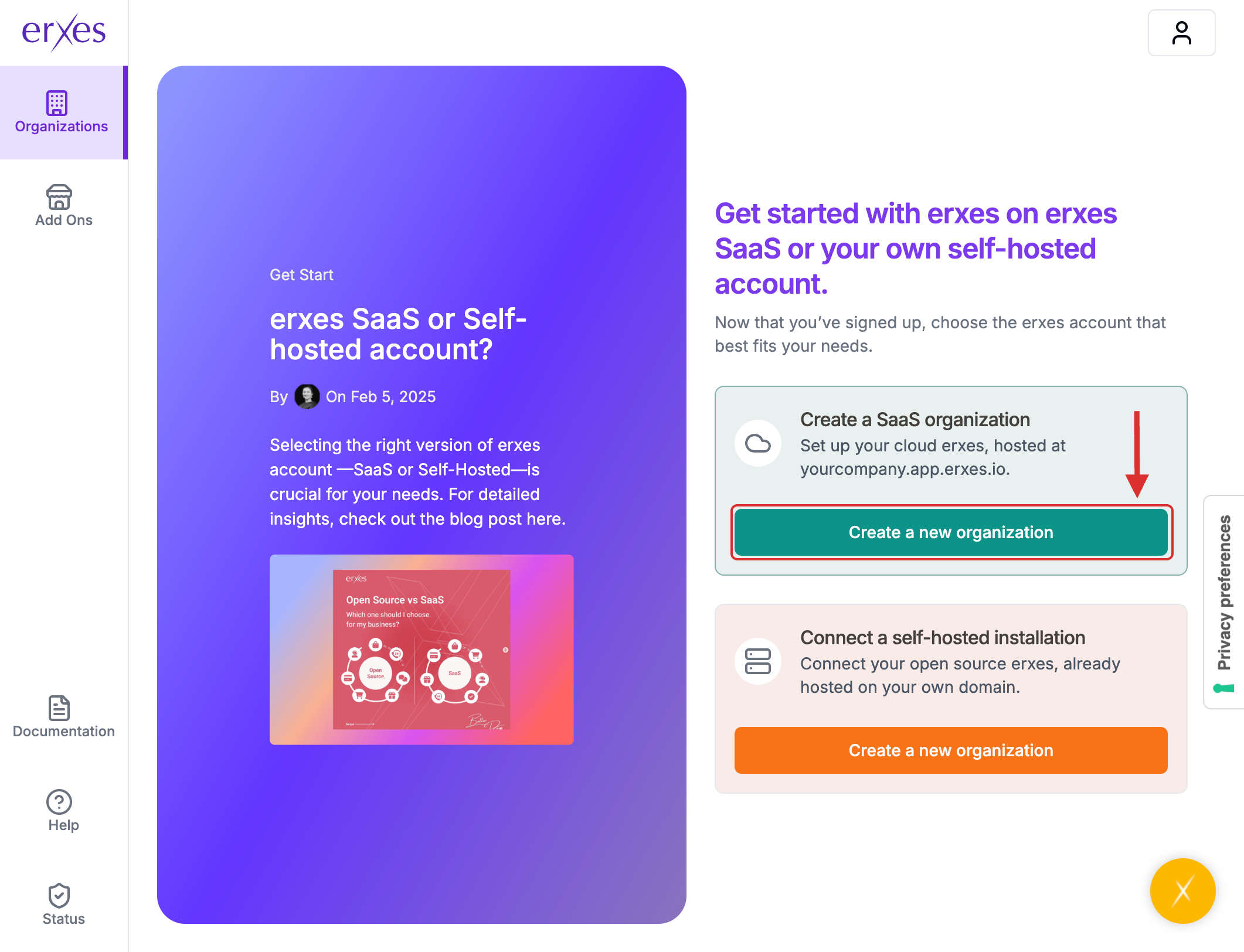
- Click Create New Organization.
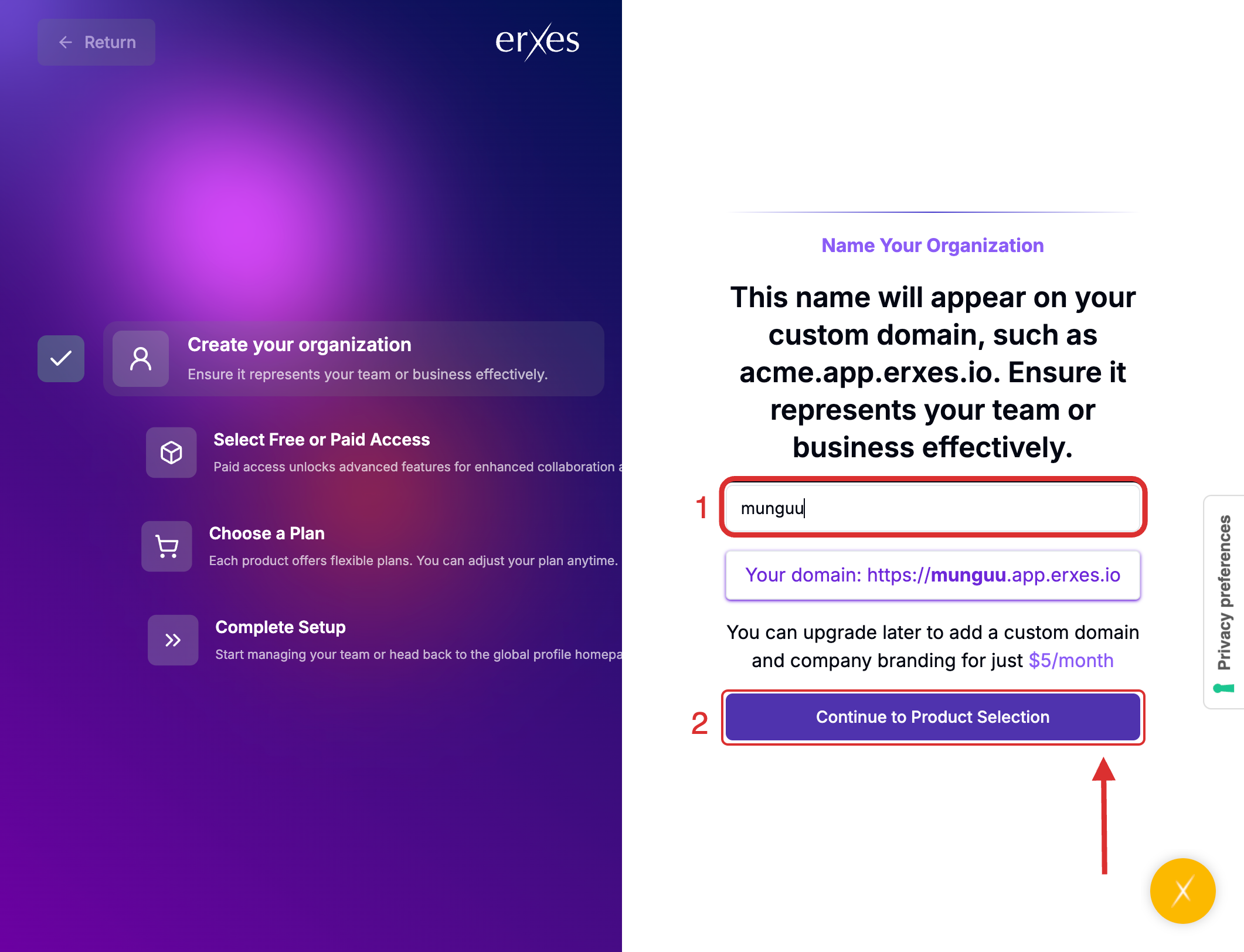
- Enter your organization's name in English. (Tip: Keep it short and simple.)
- Click Continue to Product Selection.
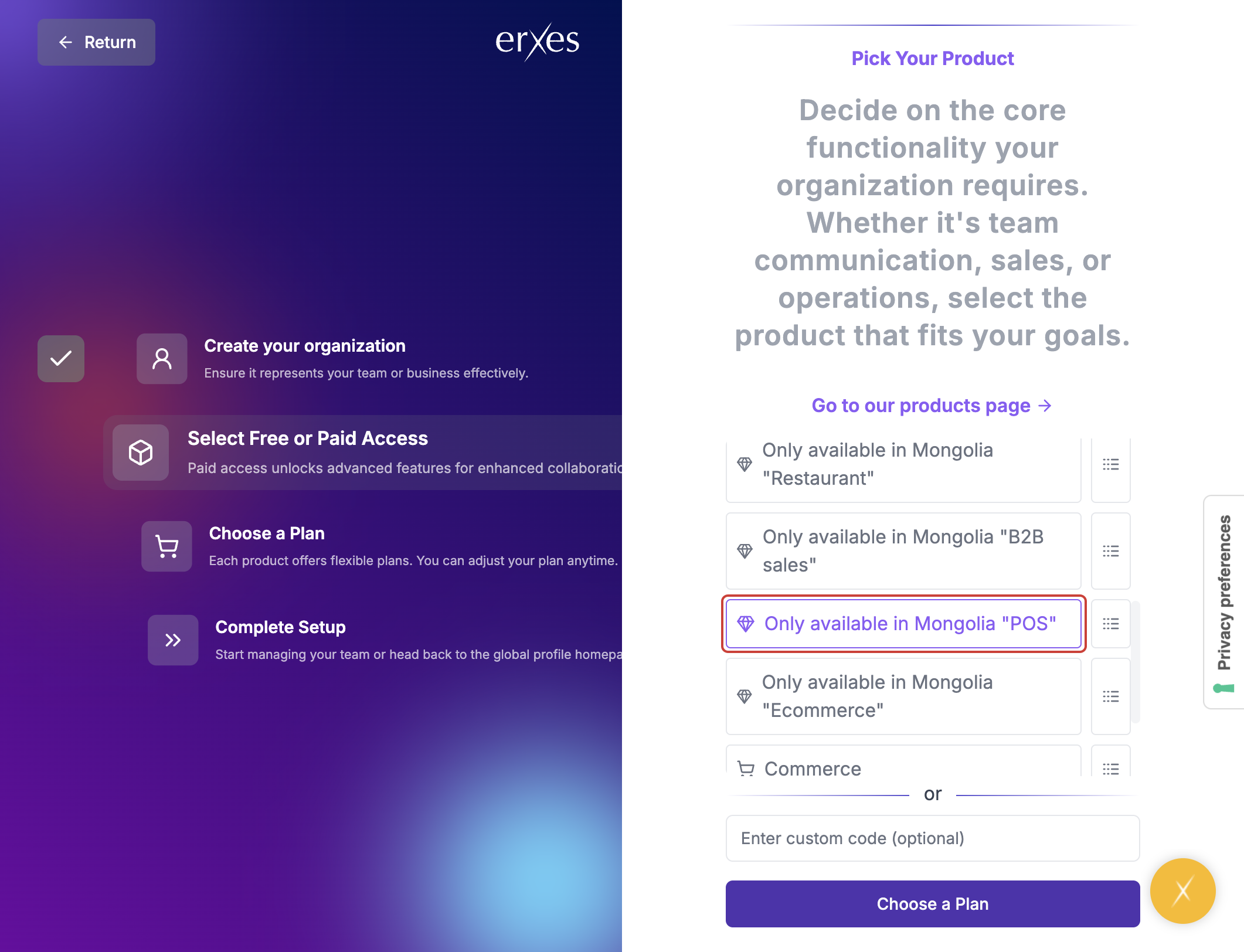
- Choose the product you wish to purchase.
- Click Choose a Plan.
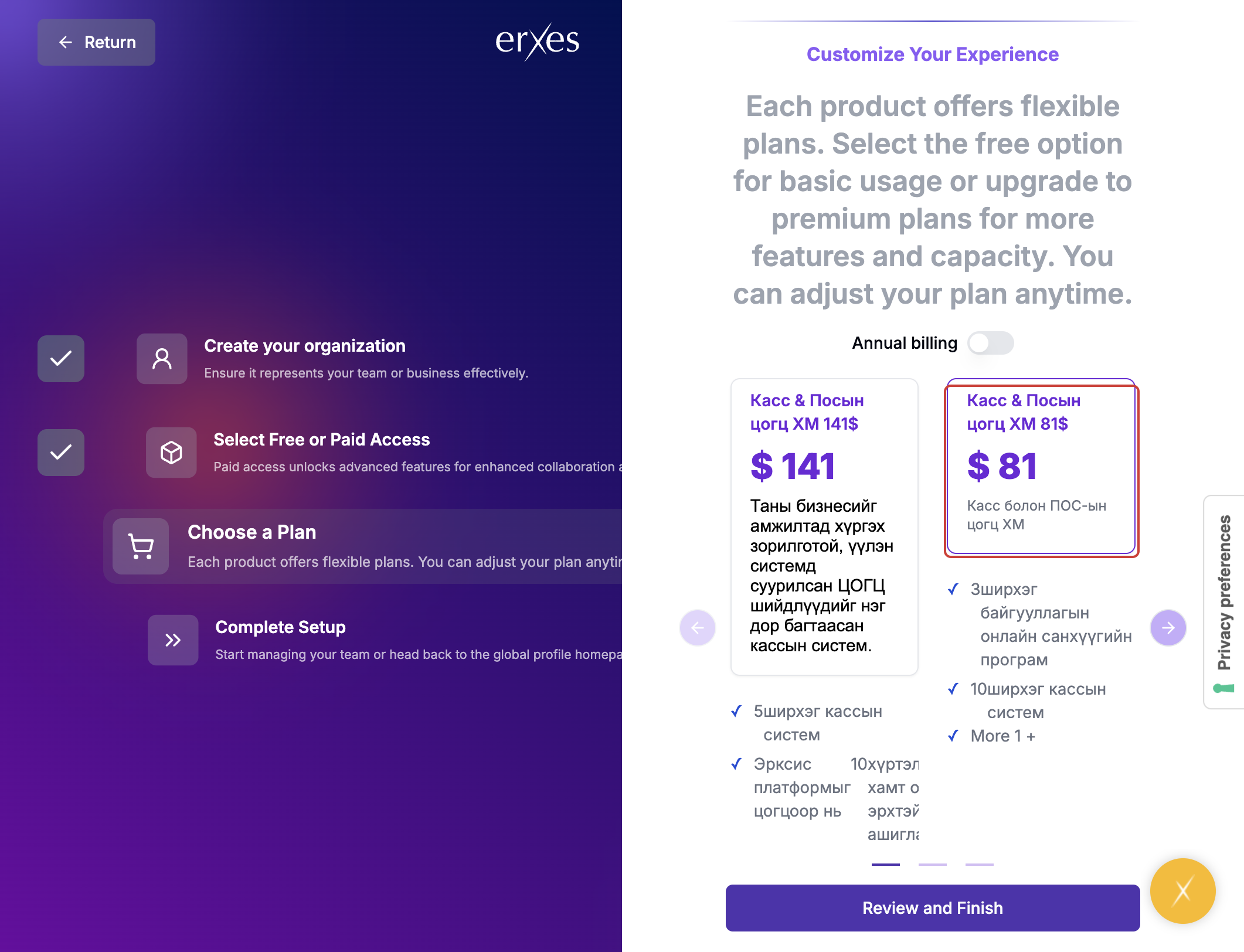
- Select your preferred pricing package.
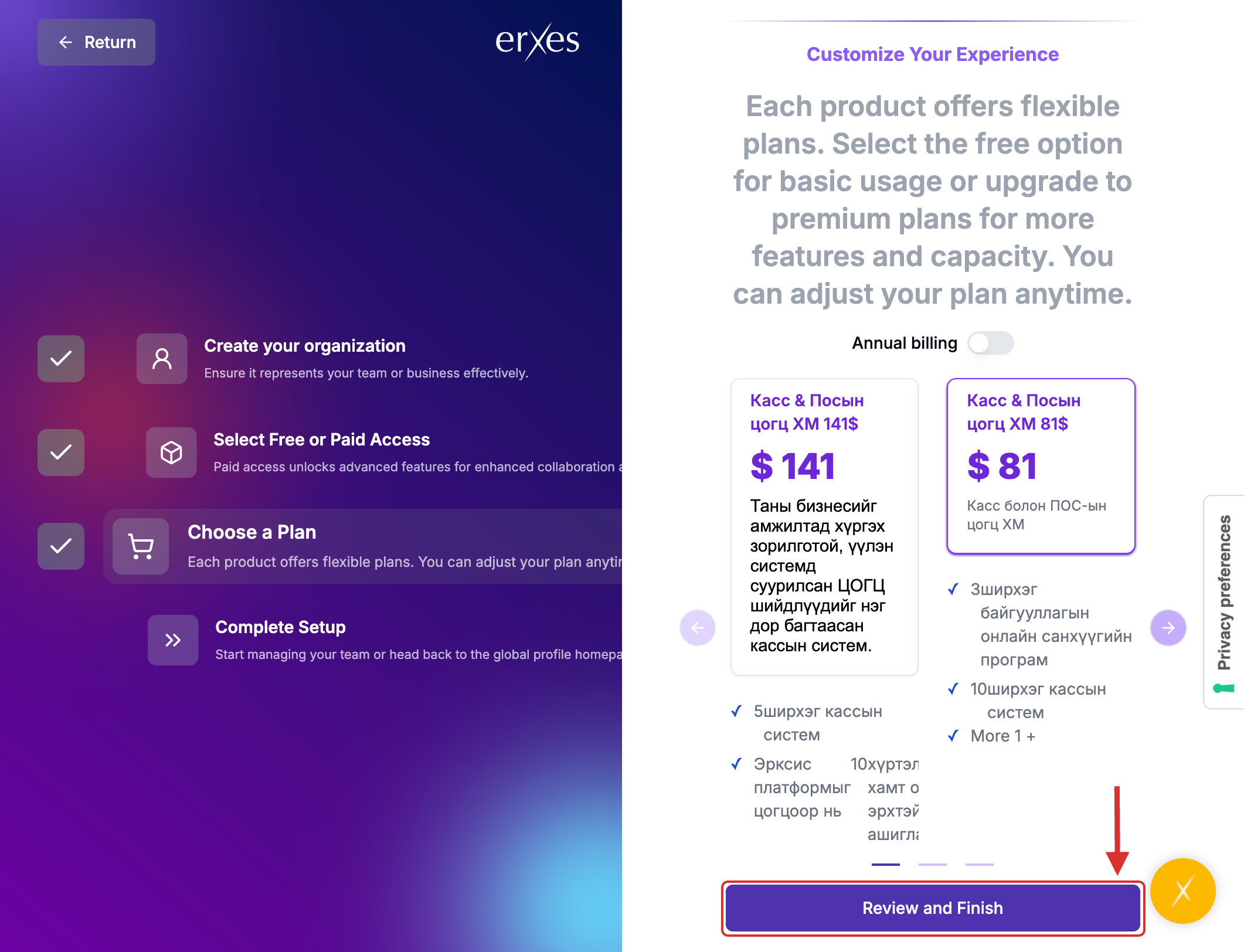
- Carefully review your selections, then proceed to payment.
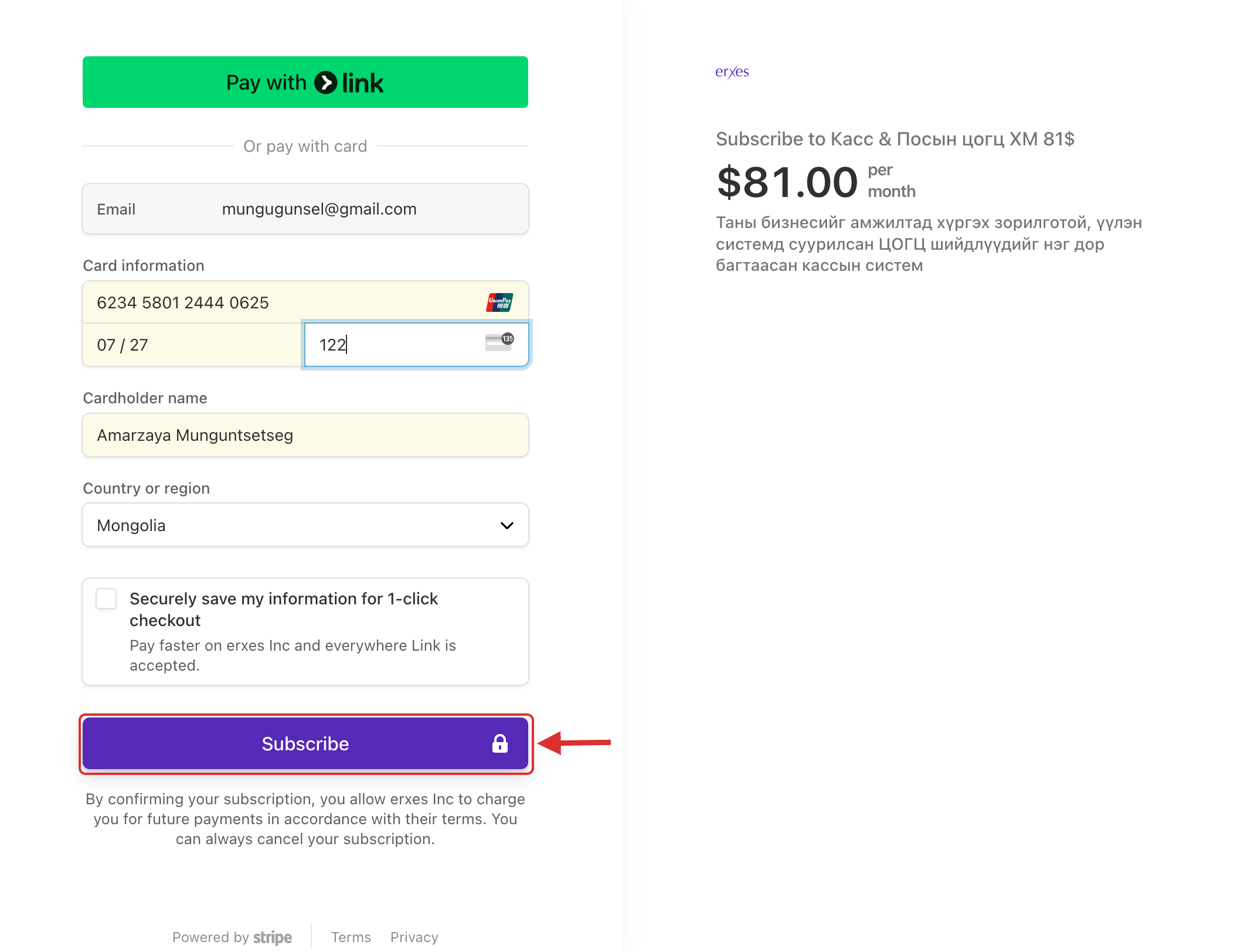
- Enter your payment card details.
- (Note: Some banks may call you for payment confirmation. Even if you have sufficient funds, the process may take a few minutes.)
- After entering your payment details, click Subscribe.
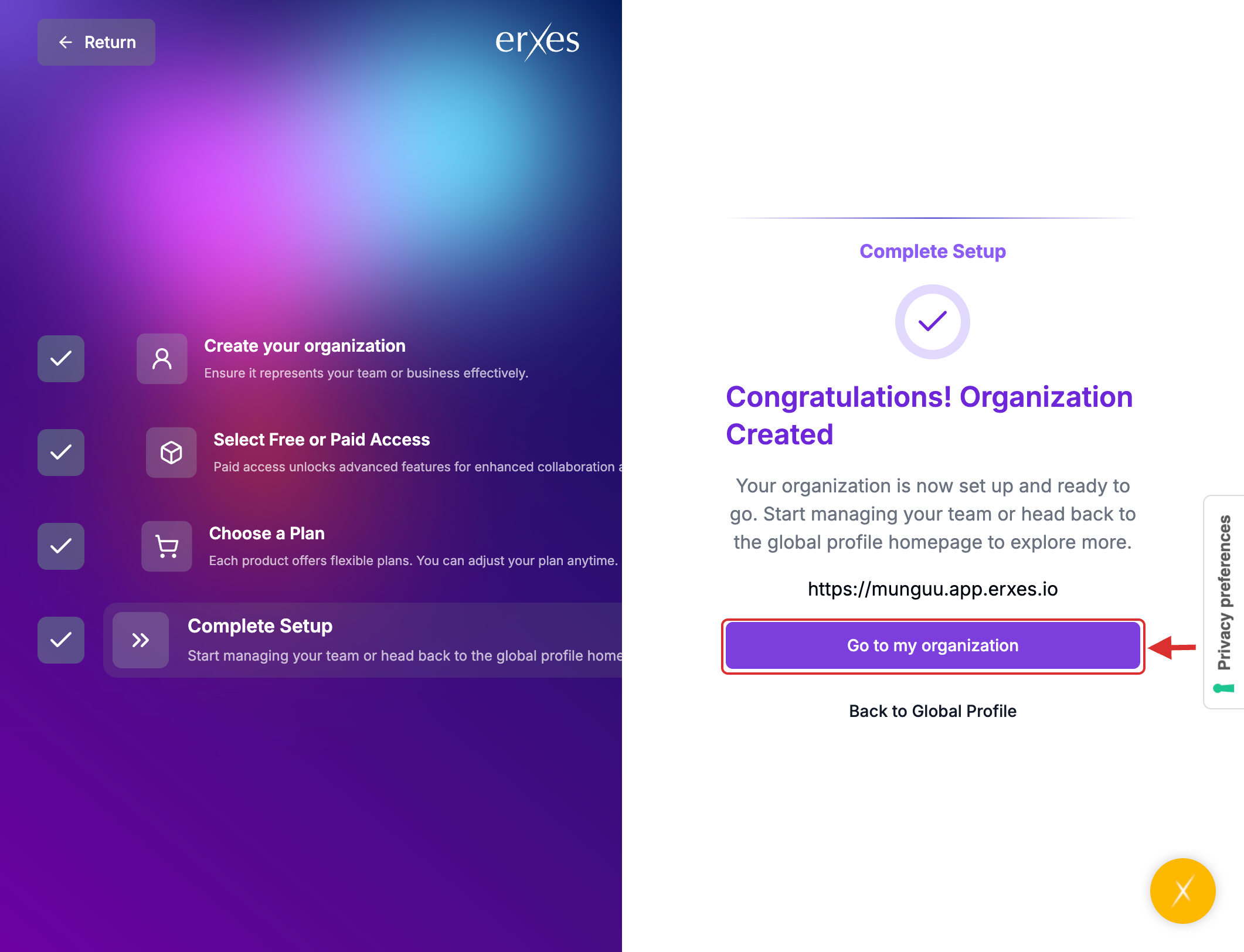
- Once the payment is successful, click Go to My Organization.
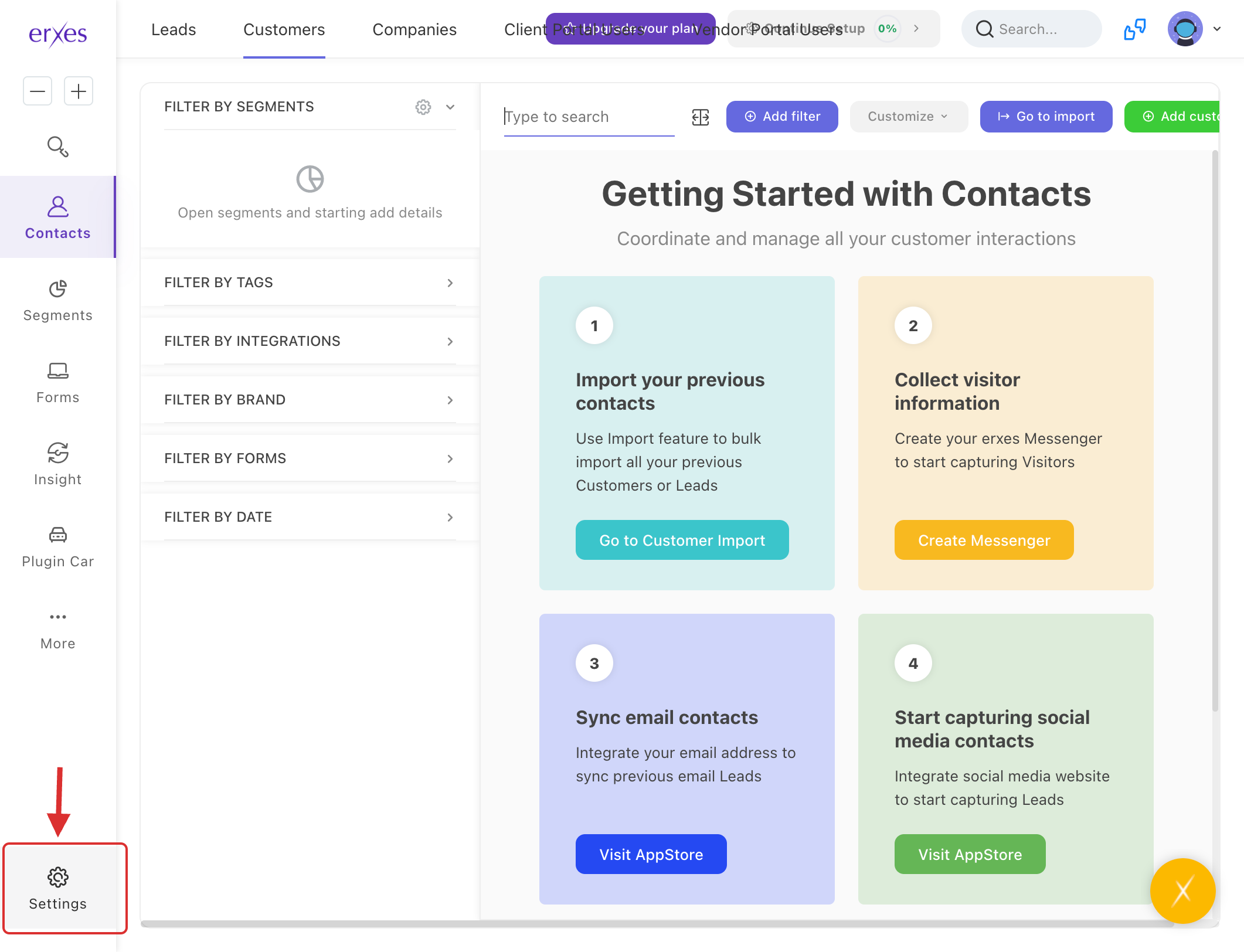
- When you see the main dashboard of the erxes application, your registration and payment are successfully completed.
- Visit erxes.io.
- Click the Sign Up button.
- Choose Email & Password as the sign-up method.
- Enter your email address and create a password, then click Sign Up.
Check your email inbox for a verification code and enter it in the required field.
(If you did not receive the verification email, return to erxes.io and click Sign In.)
Go to the Sign In page.
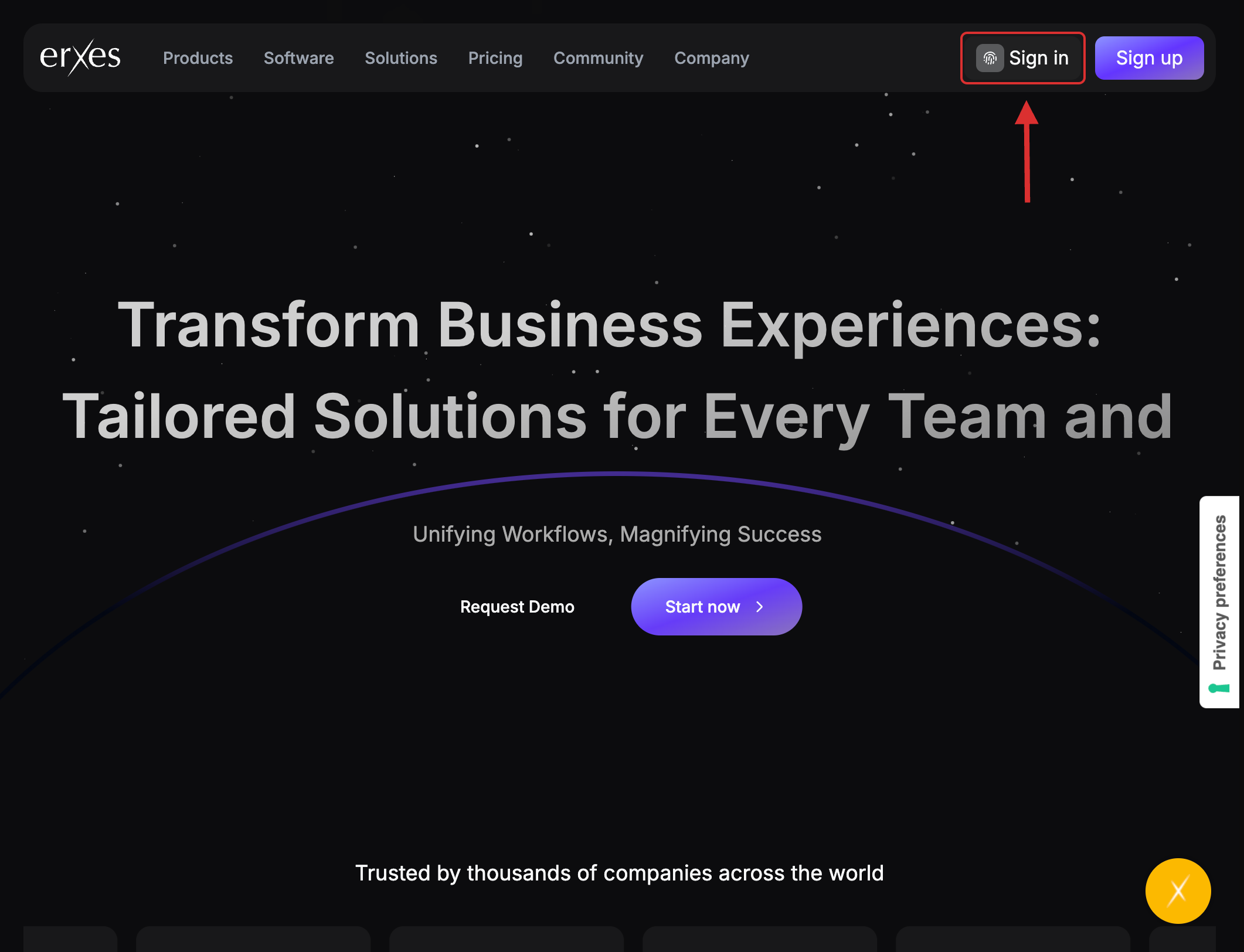
- Select Email & Password again.
- Enter your credentials and click Sign In.
- Click Create New Organization.
- Enter your organization's name in English. (Tip: Keep it short and simple.)
- Click Continue to Product Selection.
- Choose the product you wish to purchase.
- Click Choose a Plan.
- Select your preferred pricing package.
- Carefully review your selections, then proceed to payment.
- Enter your payment card details.
- (Note: Some banks may call you for payment confirmation. Even if you have sufficient funds, the process may take a few minutes.)
- After entering your payment details, click Subscribe.
- Once the payment is successful, click Go to My Organization.
- When you see the main dashboard of the erxes application, your registration and payment are successfully completed.