Connecting Viber
Updated Apr 29, 2025
Step 1: Add the Viber Channel
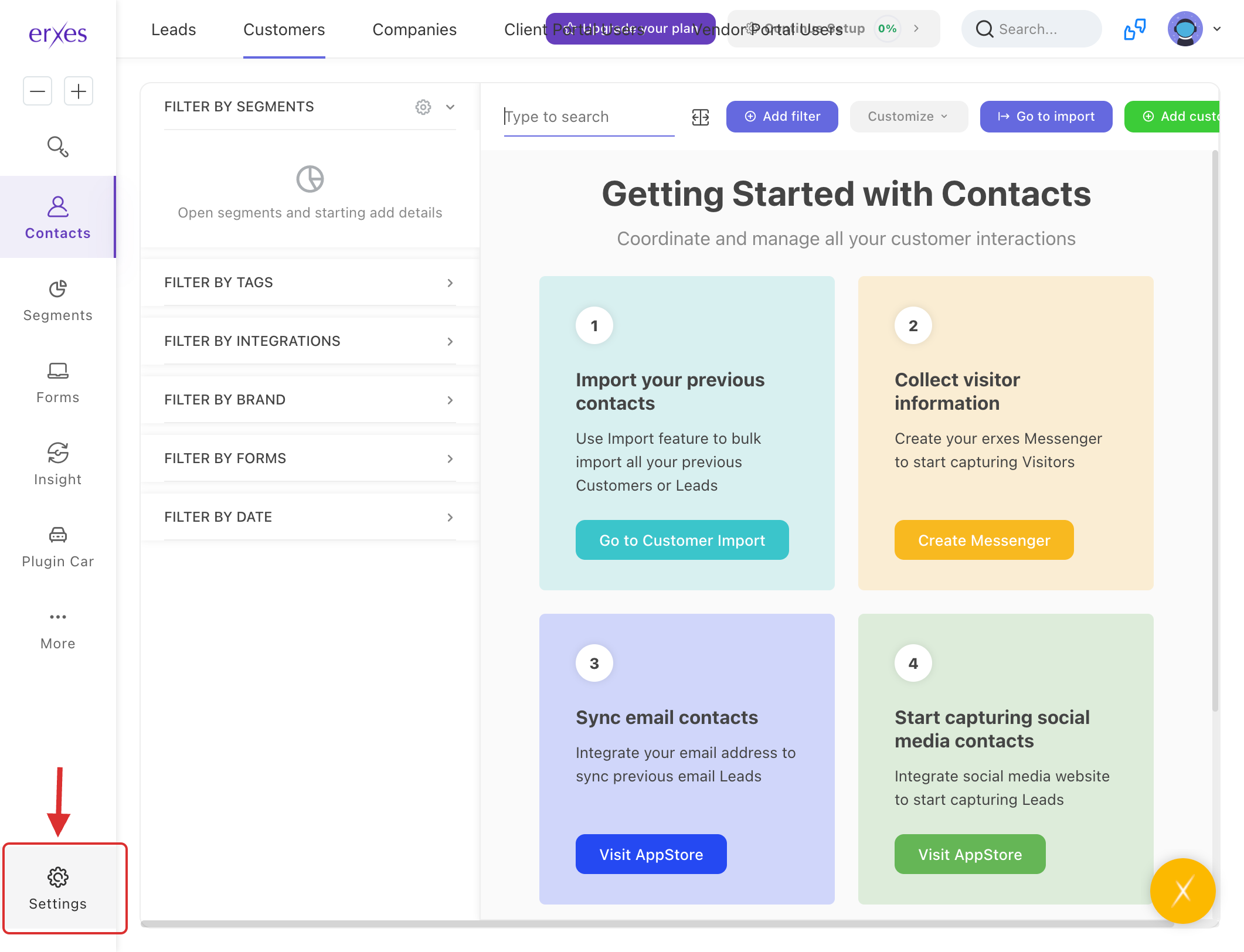
- Go to Settings.
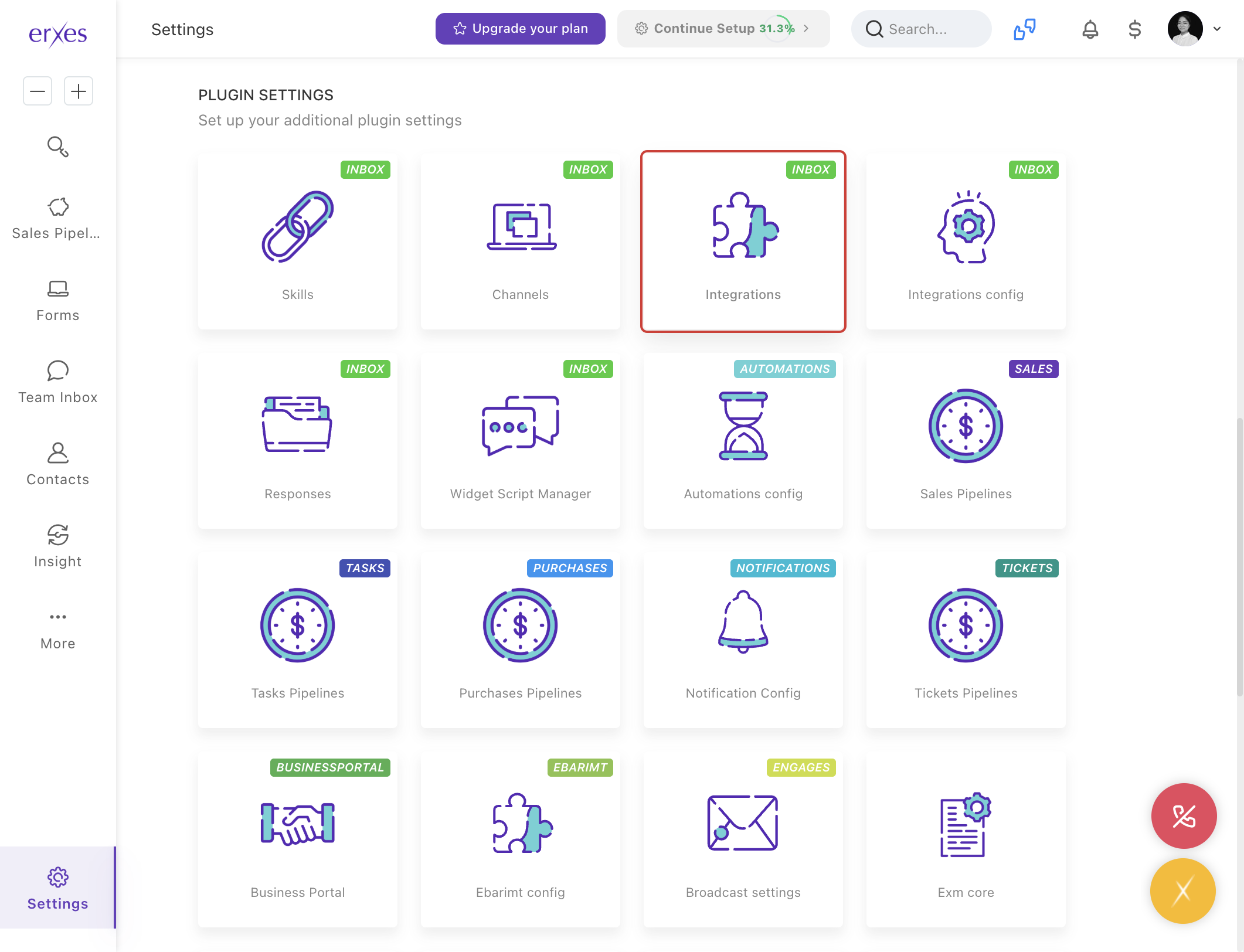
- Navigate to Integration.
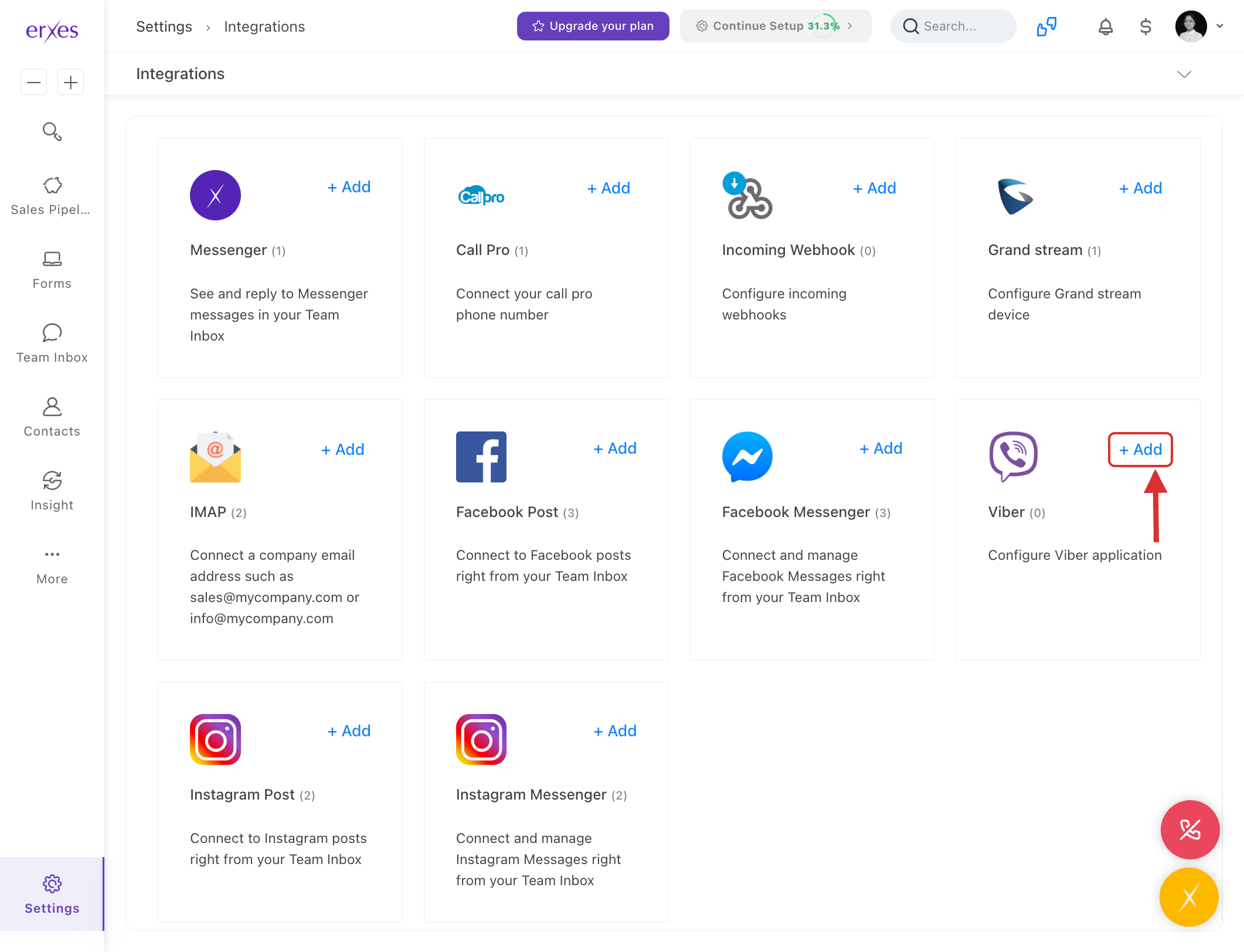
- In the Viber section, click +Add.
- Name:
- Enter a name for your Viber channel (e.g., "[Viber] Business Support").
- Token:
- In the Token section, enter the Viber bot token information.
- If your Viber bot is not created yet, you can create it by visiting Viber's Partner Portal.
- After creating the bot, you’ll receive the Token information. Copy it and paste it into this section.
- Brand:
- Select the brand that you want to connect to.
- Channel:
- Select the channel through which you will communicate.
- Click Save to save the settings.
Step 2: Test the Viber Bot
- Open the Viber app and send a message to the bot you created.
- Go to the erxes Team Inbox window.
- Check if the message you sent is arriving in TeamInbox.
- Write a reply and confirm that the message successfully reaches the user on their Viber app.
Step 3: Troubleshooting (If Viber Messages are Not Appearing in TeamInbox)
1. Check if your erxes account is included in the channel
- Go to Settings → Channel.
- Check if your erxes account name is listed in the Member section.
2. Ensure Channel is selected for Viber connection
- Go to Settings → Integration.
- Click on the Viber section.
- Click the Edit button and make sure the Channel is selected.
This tutorial explains step by step how to connect a Viber channel on the erxes platform. Connecting a Viber channel will allow you to communicate with your users directly via messenger.
Instructions with pictures:
- Go to Settings
- Go to Integration
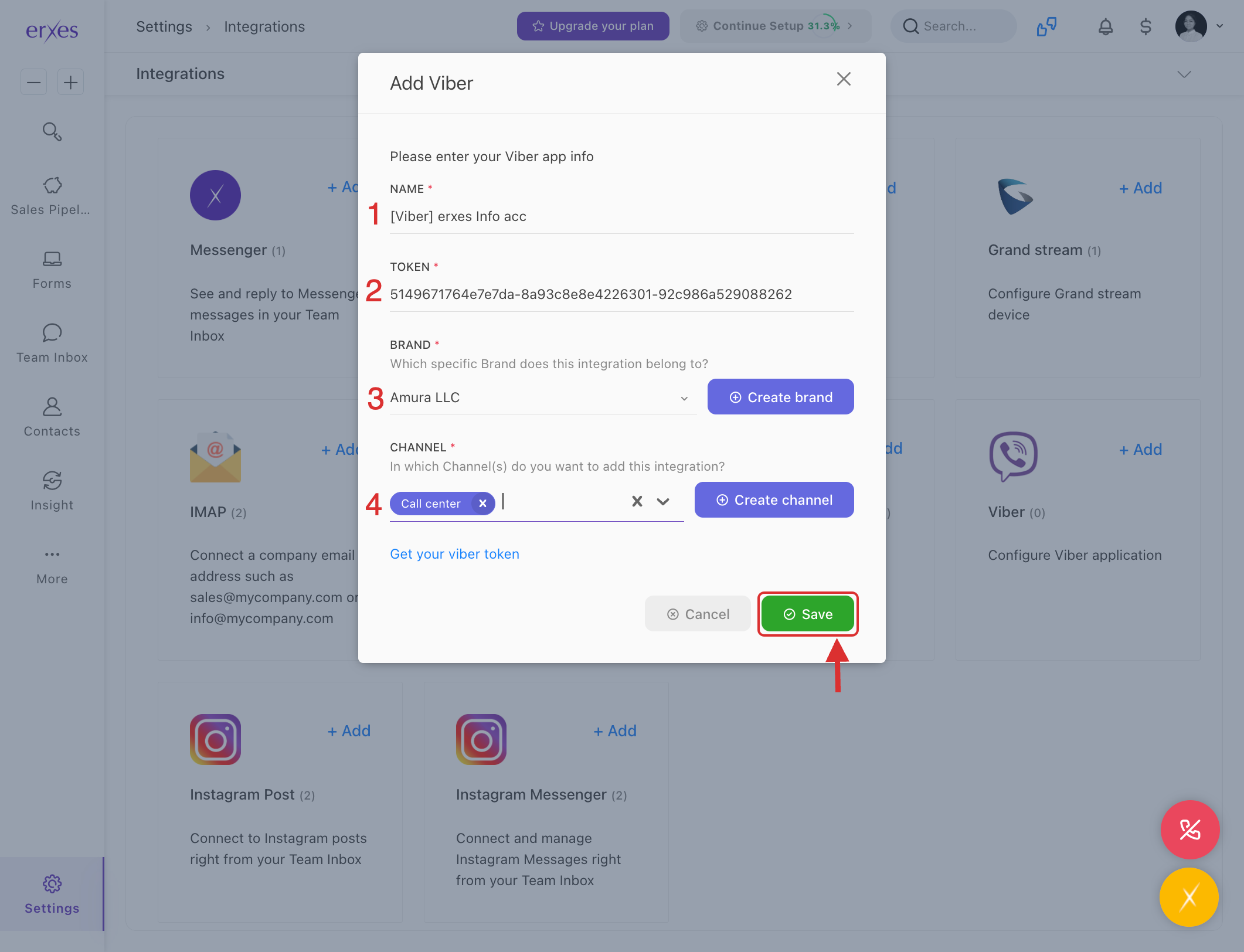
- Click +Add in the Viber section .
- In the Name field, enter the name of the Viber channel you want to connect to (for example: "[Viber] Business Support")
- Enter the Viber bot token information in the Token section.
- If your Viber bot is not yet created, you can create one by visiting the following link: https://partners.viber.com/
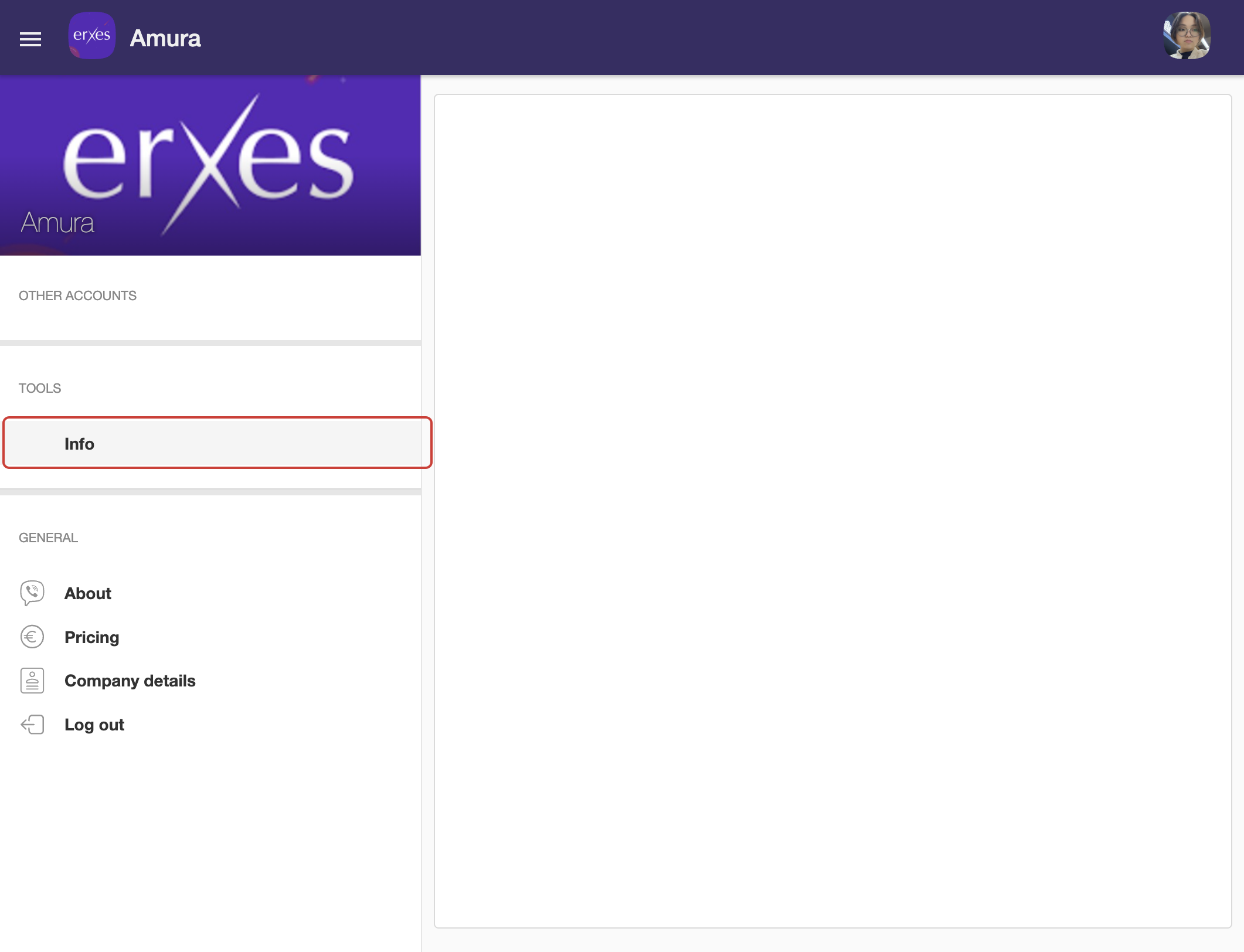
- After creating the bot, the Token information will appear, copy it and enter it in this section.
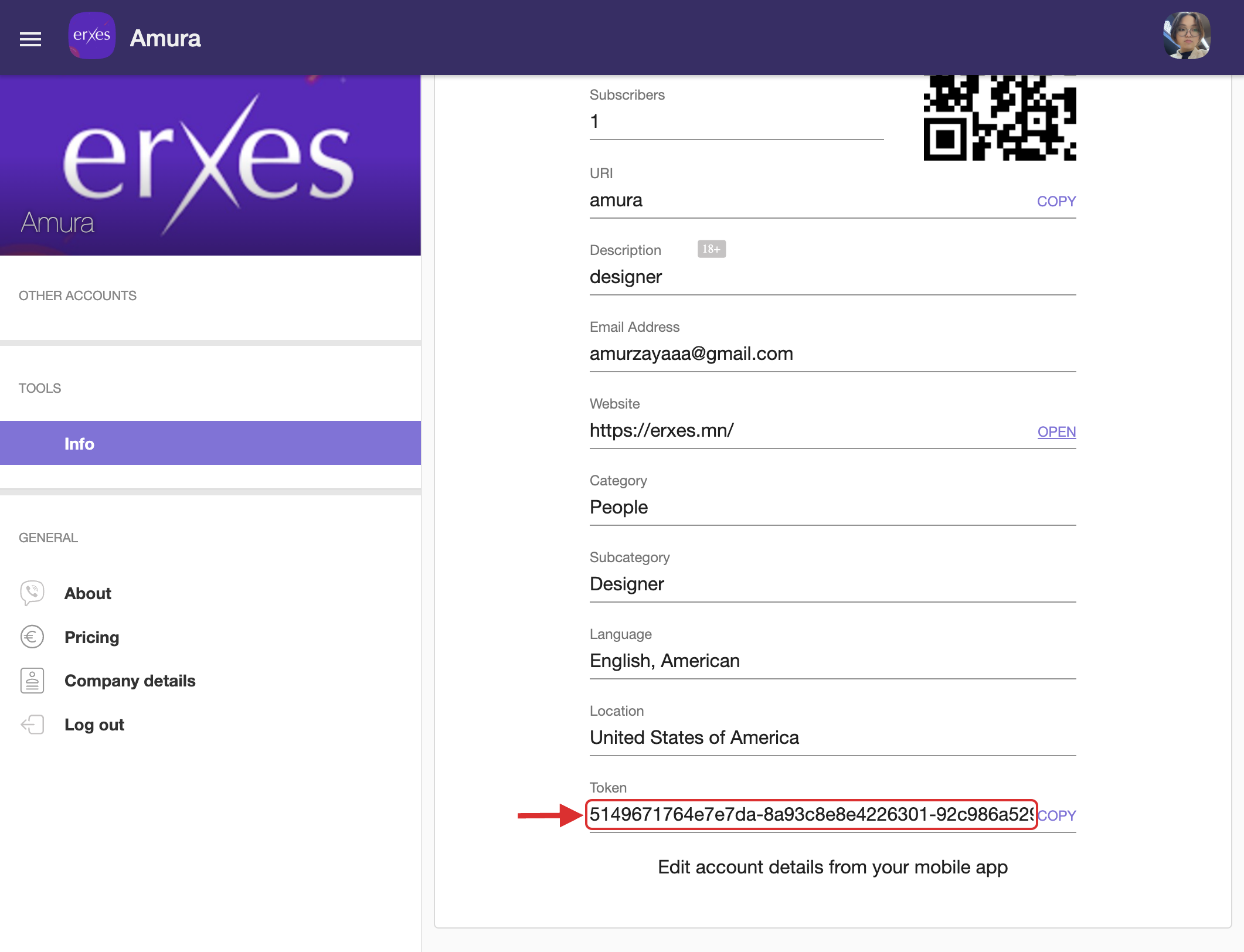
- If your Viber bot is not yet created, you can create one by visiting the following link: https://partners.viber.com/
- Brand – Select the brand to connect to.
- Channel – Select the channel to communicate with.
- Click the Save button to save the settings.
Try it:
- The user will test the bot by sending a message through their Viber app.
- Go to the erxes Team Inbox window
- Check if the sent message is arriving in TeamInbox
- Write a reply and confirm that the message has been sent to the user.